MQTT
The MQTT module allows a Meshtastic node to bridge mesh traffic to an MQTT broker, extending the mesh over the internet and enabling integration with home automation systems.
What MQTT Does
A node with MQTT enabled acts as a gateway: it publishes received mesh packets to an MQTT broker and optionally subscribes to a topic so that remote nodes can inject packets back into the local mesh.
| Icon | State | Description |
|---|---|---|
 | Connected | MQTT bridge is active — uplink and downlink both enabled. |
 | Uplink Only | Publishing mesh packets to the broker but not subscribing to incoming packets. |
 | Disconnected | MQTT is configured but not currently connected to the broker. |
This enables two mesh networks in different physical locations to appear as one logical network — as long as at least one node in each location has internet access.
Configuring MQTT
Go to Settings → MQTT:
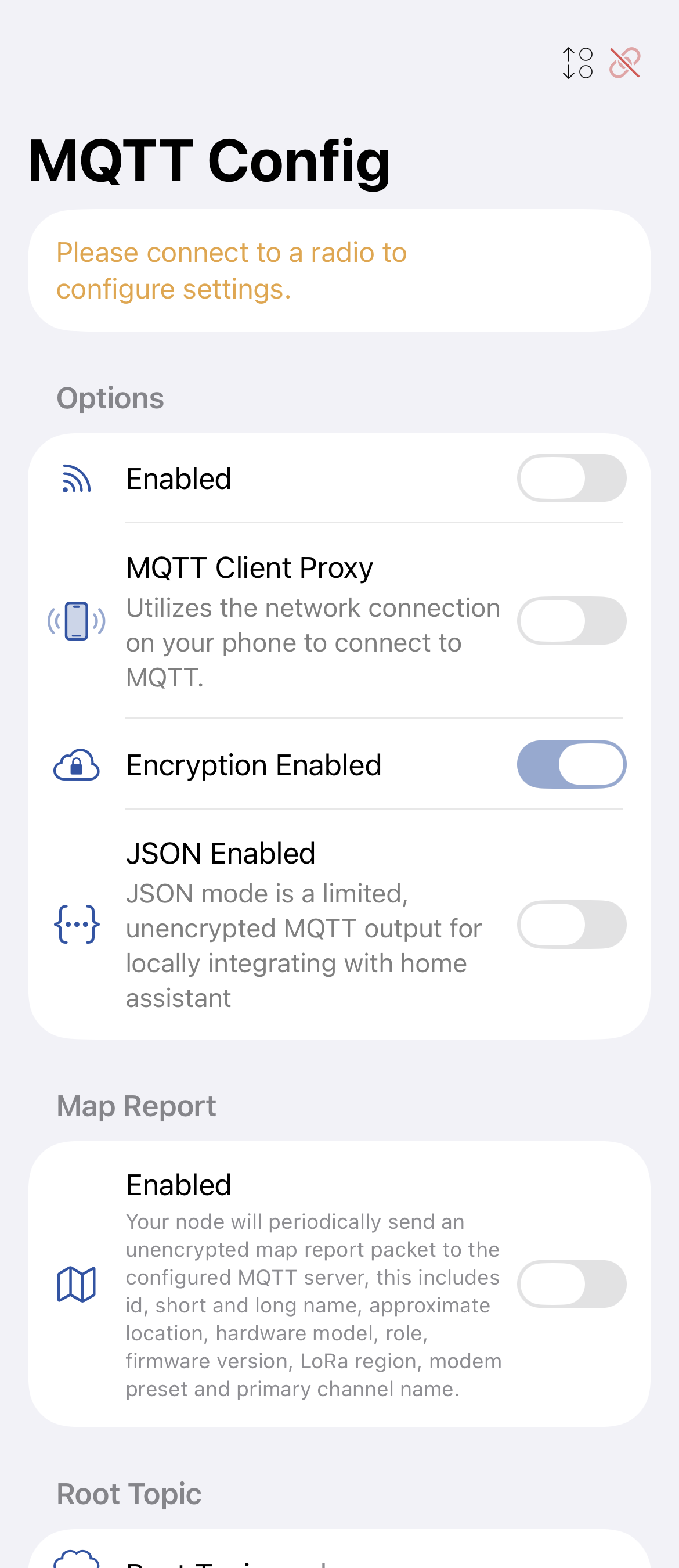
| Setting | Description |
|---|---|
| MQTT Server | Hostname or IP of your MQTT broker (e.g., mqtt.meshtastic.org for the public broker). |
| Port | Default is 1883 (unencrypted) or 8883 (TLS). |
| Username | MQTT broker username (optional). |
| Password | MQTT broker password (optional). |
| Root Topic | The topic prefix for all published messages (default: msh). |
| Enabled | Toggle MQTT bridging on/off. |
| Encryption Enabled | Encrypt packets before publishing. Recommended — prevents the broker from reading message content. |
| JSON Enabled | Removed. JSON packet support was deprecated and removed in firmware. |
| TLS Enabled | Use TLS for the MQTT connection. Requires a broker with TLS support. |
| Proxy to Client | Route MQTT traffic through the phone app rather than directly from the radio. Useful for radios without Wi-Fi. |
Topic Structure
Meshtastic publishes to:
<root_topic>/<region>/<channel_index>/<node_id>/<packet_type>
Example: msh/US/2/!a1b2c3d4/text
Security Considerations
- Enabling MQTT with an insecure channel broadcasts location and messages to the internet.
- The channel security indicator shows Insecure with MQTT (🔓⚠️) when a channel is unencrypted and MQTT is active.
- Always use Encryption Enabled in production to protect message content.
- Consider using a private broker rather than the public
mqtt.meshtastic.org.
Public Broker
The public MQTT broker at mqtt.meshtastic.org is available for testing. Do not transmit sensitive information over the public broker. Use it only for initial setup verification.