Local Mesh Discovery
Local Mesh Discovery scans your area to find nearby Meshtastic radios operating on different frequency settings. Use it to identify which LoRa configuration is most active in your location before setting up a new node.
What It Does
The scanner switches through a series of LoRa modem presets and frequency slots, listens for a set period on each, and records how many nodes it hears and how busy the airwaves are (channel utilisation). It then presents a ranked list of settings ordered by activity.
On supported devices running iOS 26+, the on-device AI assistant analyses the scan results and recommends the best configuration for your location — no internet connection required.
Running a Scan
- Go to Settings → Local Mesh Discovery.
- Tap Start Scan.
- The scanner cycles through settings automatically. Each cycle takes a few minutes — do not close the app during a scan.
- When the scan completes, results appear ranked by node count and channel activity.
Reading Results
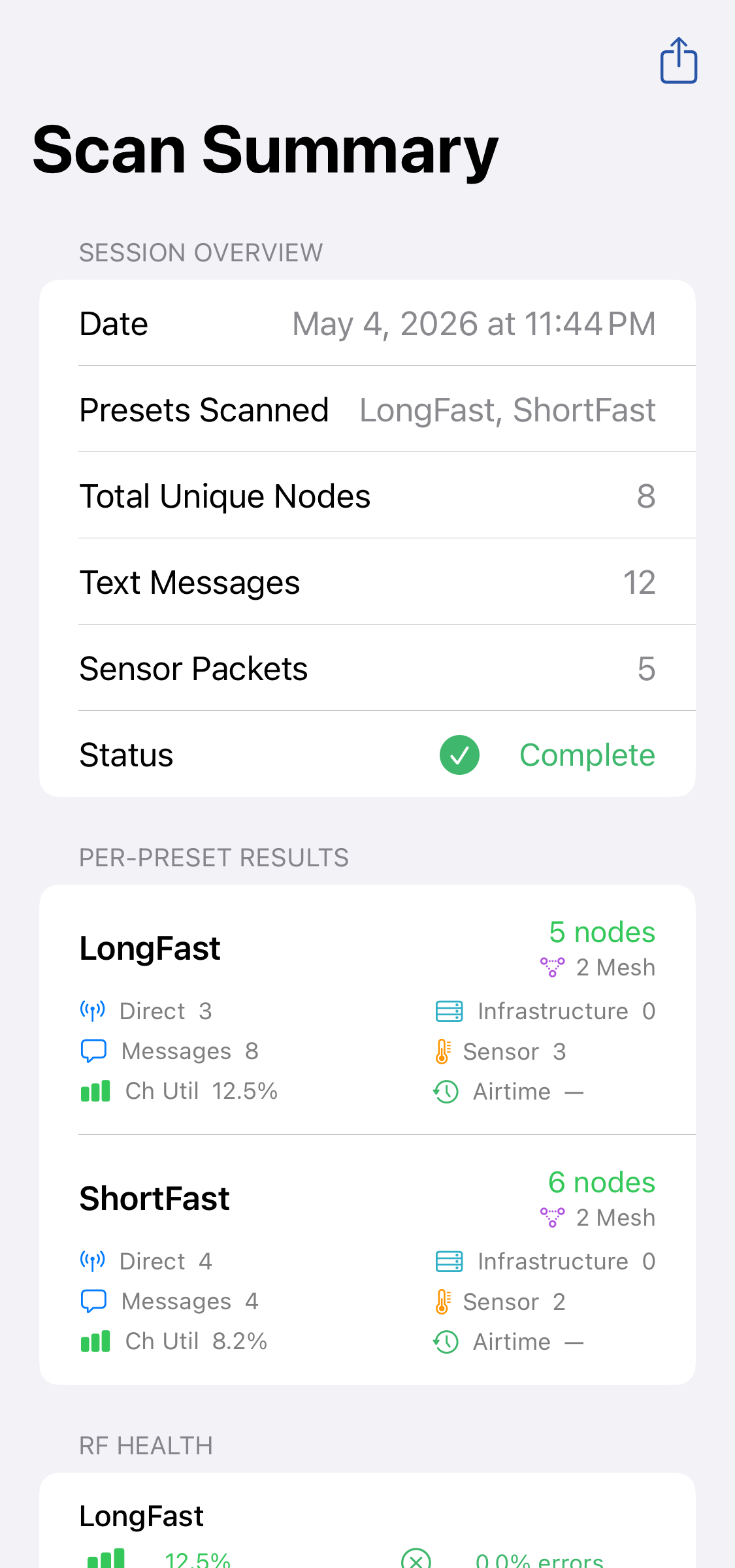
| Column | Description |
|---|---|
| Preset | LoRa modem preset (e.g., Long Fast, Long Slow) |
| Nodes Heard | Number of distinct nodes detected on this setting |
| Channel Utilisation | Percentage of airtime used — higher means more active |
| Recommendation | ✅ Best match for your area |
Applying a Setting
Tap a result row and then Apply Setting to configure your connected radio to match the most active setting in your area. This updates the LoRa configuration on the radio directly.
Tip — What does this do? This tool scans your local area to find nearby Meshtastic radios on different frequency settings. It switches between settings automatically, listens for a few minutes on each one, and then shows you which setting works best for your location based on how many radios it finds and how busy the airwaves are. On supported devices, local on-device AI will analyse your scan results and recommend the best setting — no internet connection required.