Метрики ноды
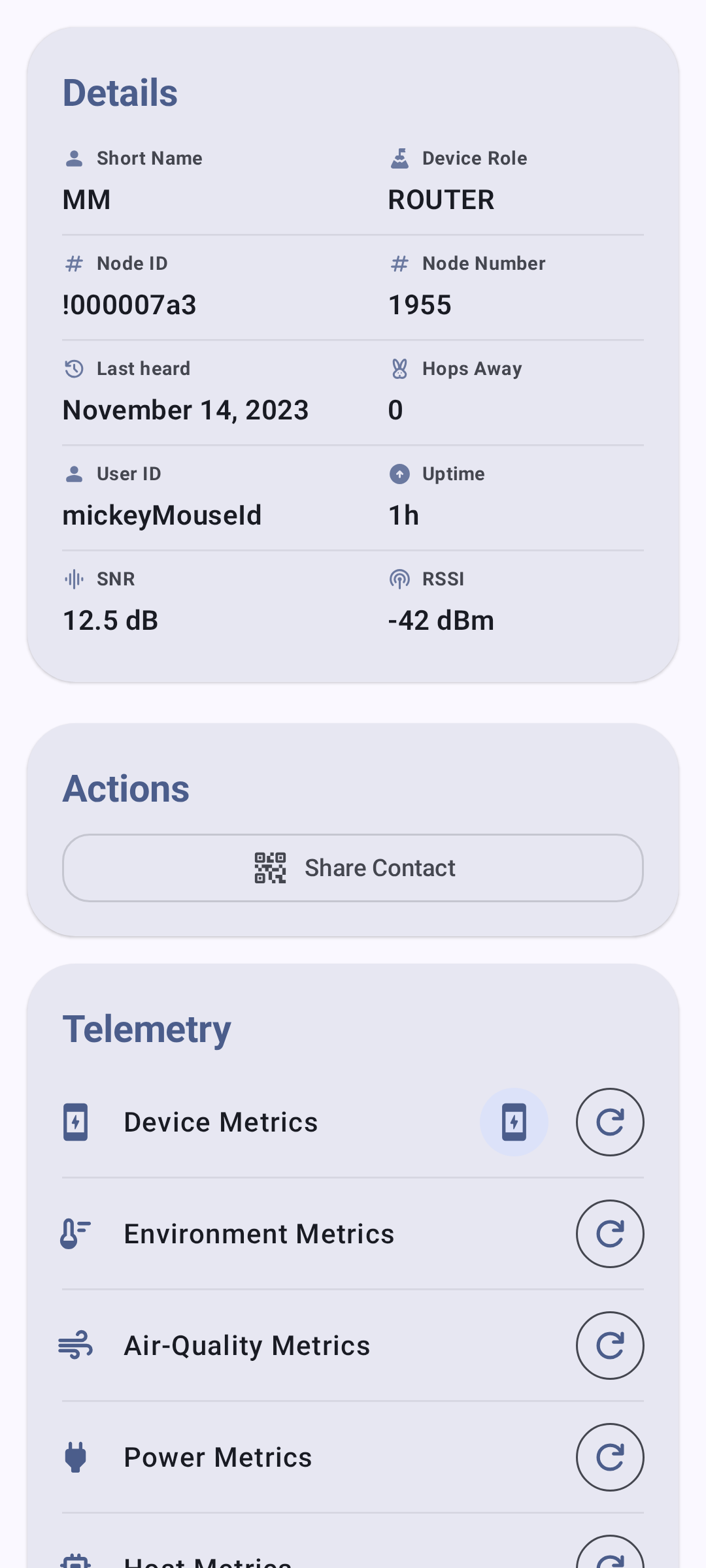
Экран сведений о ноде предоставляет подробную телеметрию и метрики для каждой ноды твоей mesh-сети.
Интервал передачи
Основная информация о работе, сообщаемая каждой нодой:
| Метрическая | Описание |
|---|---|
| Уровень заряда | Текущий процент заряда батареи |
| Напряжение | Показания напряжения батареи |
| Использование канала | Процент израсходованного эфирного времени |
| Эфирное время | Время передачи, использованное этой нодой |
| Аптайм | Время с момента последней перезагрузки |
Метрики устройства отображаются в виде отдельных карточек с трендовыми спарклайнами, показывающими уровень заряда, напряжение, использование канала, эфирное время и время безотказной работы(аптайма) с течением времени.
💡 Совет: Нажмите на любую карточку метрики, чтобы развернуть её в полноценный график с историческими точками данных. Масштабируйте временную ось щипком.
Метрики окружения
Данные датчиков окружающей среды (требуется совместимое оборудование):
| Метрическая | Примеры сенсоров |
|---|---|
| Температура | BME280, BME680, SHT31 |
| Влажность | BME280, BME680, SHT31 |
| Давление на барометре | BME280, BMP280 |
| Сопротивление газа | BME680 |
| IAQ (Качества воздуха) | BME680 |
Метрики окружающей среды отображаются на графиках с течением времени для удобного анализа тенденций — температура, влажность и давление выводятся каждый в виде отдельного линейного графика с единицами измерения по оси Y.
Индекс IAQ (качество воздуха в помещении) датчика BME680 представляет собой единое значение от 0 до 500+, полученное на основе сопротивления газа, и отображается на цветовой шкале от “Отлично” до “Опасно загрязнён”:
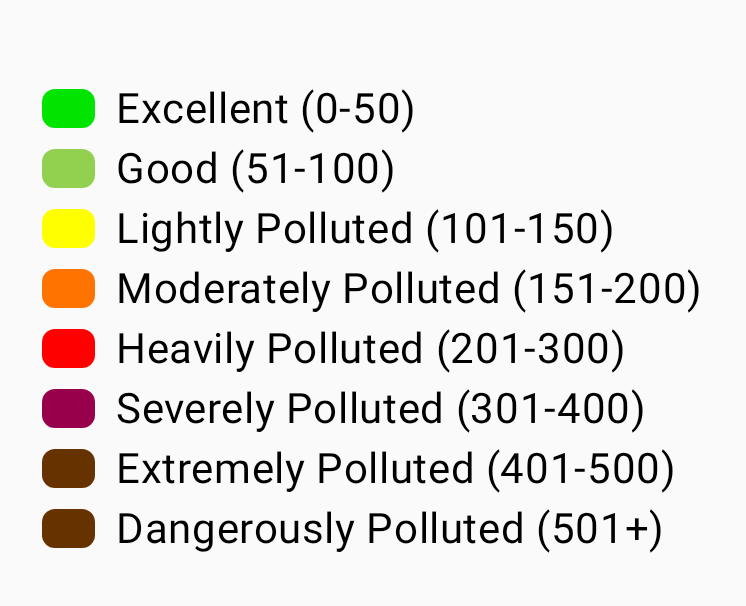
💡 Совет: Для получения метрик окружающей среды к удалённой ноде должен быть подключён датчик. Не все ноды передают данные об окружающей среде. См. Телеметрия и датчики для получения полного списка поддерживаемых датчиков.
Метрики качества воздуха
Качество воздуха — это отдельный экран метрик для нод, оснащённых датчиком взвешенных частиц и/или CO₂. Этот экран отделён от показателя IAQ датчика BME680, отображаемого в разделе “Метрики окружающей среды” — IAQ представляет собой единый индекс, основанный на сопротивлении газа, тогда как экран качества воздуха показывает графики исходных измерений взвешенных частиц и CO₂.
| Метрическая | Единица | Описание |
|---|---|---|
| PM1.0 | мкг/м³ | Взвешенные частицы размером до 1,0 микрона |
| PM2.5 | мкг/м³ | Взвешенные частицы размером до 2,5 микрона |
| PM10 | мкг/м³ | Взвешенные частицы размером до 10 микронов |
| AQI | Индекс EPA | AQI EPA по методу NowCast, вычисляемый на основе твоей недавней истории PM2.5, с цветовой меткой уровня опасности. Отображается рядом с PM2.5, как только накопится достаточно показаний. |
| CO₂ | ppm | Концентрация углекислого газа |
| Температура CO₂ | °C / °F | Температура, сообщаемая самим датчиком CO₂ (например, SCD4x) |
| Влажность CO₂ | % | Относительная влажность, сообщаемая датчиком CO₂ |
Показания CO₂ окрашены по уровню опасности, чтобы качество воздуха можно было легко оценить с первого взгляда:
| Диапазон | Диапазон CO₂ (ppm) | Цвет |
|---|---|---|
| Хороший | < 1000 | Зеленый |
| Душно | < 2000 | Янтарный |
| Плохо | < 5000 | Оранжевый |
| Небезопасно | < 30000 | Красный |
| Эвакуация | ≥ 30000 | Тёмно-красный |
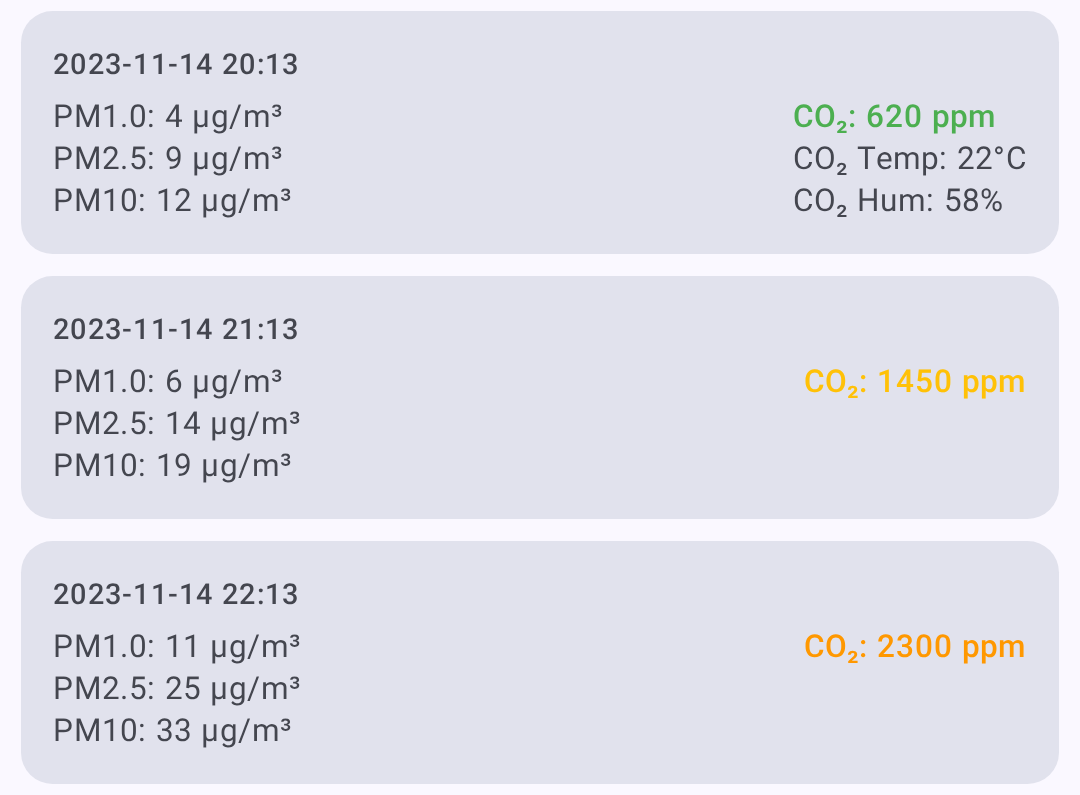
Кнопка журнала/метрик качества воздуха появляется на экране сведений о ноде только в том случае, если нода передала телеметрию о качестве воздуха. В режиме просмотра качества воздуха ты можешь:
- Выбрать временной интервал для графиков.
- Фильтровать с помощью кнопок метрик — отображаются только те метрики, по которым есть данные.
- Обновить / запросить последнюю телеметрию о качестве воздуха.
- Экспортировать в CSV для анализа в электронных таблицах.
💡 Совет: Для получения метрик качества воздуха на удалённой ноде должен быть установлен совместимый датчик. Если у ноды нет датчика взвешенных частиц или CO₂, кнопка качества воздуха не появится. См. Телеметрия и датчики для получения информации о поддерживаемом оборудовании.
Показатели сигнала
Информация о качестве радиосигнала:
| Метрическая | Описание |
|---|---|
| Сигнал/шум | Отношение сигнал/шум (SNR) (чем выше, тем лучше) |
| RSSI | Индикатор уровня принимаемого сигнала (Rssi) (чем ближе к 0, тем лучше) |
| Уровень собственных шумов | Местный фоновый радиочастотный шум в дБм (чем более отрицательное значение, тем тише) |
| Количество хопов | Количество хопов в mesh-сети для последнего сообщения |
Оценка качества сигнала
Качество сигнала оценивается по SNR относительно минимального уровня демодуляции активного пресета LoRa-модема, а не по фиксированным порогам — конкретное значение SNR означает разное на разных пресетах (например, −15 дБ нормально для LongSlow, но неприемлемо для ShortFast). RSSI отображается, но не учитывается в оценке. Пусть limit — это предельное значение SNR для пресета:
| Качество | Критерии |
|---|---|
| Хороший | SNR выше предела пресета |
| Средний | менее чем на 5,5 дБ ниже предела |
| Плохой | от 5,5 до 7,5 дБ ниже предела |
| Отсутствует | более чем на 7,5 дБ ниже предела |
См. Понимание измерителя сигнала для полного объяснения.
Локальная статистика твоего подключённого радио также отображается в разделе “Качество сигнала”, когда она доступна. Эти журналы включают уровень шума, счётчики трафика, счётчики ретрансляций, количество нод в сети и время работы радио. График уровня шума использует пунктирную опорную линию на уровне -85 дБм, чтобы помочь определить загруженность радиоэфира. Используйте “Запросить”, чтобы запросить у подключённого радио свежий отчёт телеметрии локальной статистики, “Очистить” — чтобы удалить журналы локальной статистики для этой ноды, и “Сохранить” — чтобы экспортировать видимую историю локальной статистики в формате CSV.
Метрики питания
Телеметрия управления питанием (требуется датчик INA или совместимое оборудование):
| Метрическая | Описание |
|---|---|
| Напряжение шины | Напряжение питания |
| Ток | Потребляемый ток в миллиамперах |
| Питание | Расчётная мощность |
Трассировка маршрута
Трассировка показывает путь сообщения через mesh-сеть:
- На экране сведений о ноде нажмите “Трассировка”.
- Приложение отправляет запрос трассировки целевой ноде.
- Результаты показывают каждый хоп со значениями SNR/RSSI.
Чтение результатов трассировки
Ты → Нода A (SNR: 8.5) → Нода B (SNR: 5.2) → Цель
Каждый хоп обозначает ретранслирующую ноду, которая переслала сообщение.
Журнал местоположения
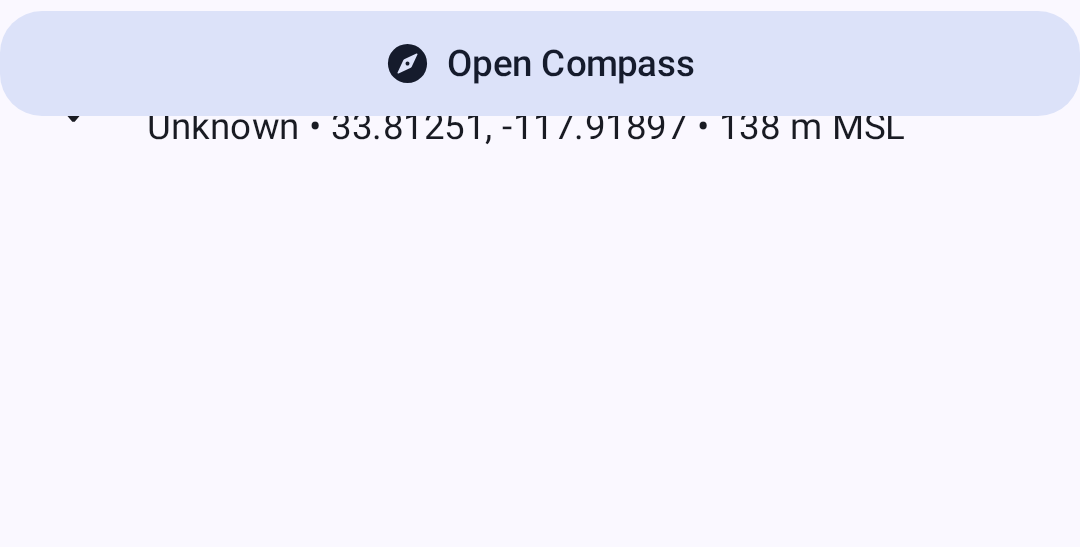
Исторические данные о местоположении для нод, которые делятся своими координатами:
- GPS-координаты
- Высота
- Скорость (при движении)
- Временная метка для каждого отчёта о местоположении
Информация об окружении
Показывает, какие ноды данная нода может слышать напрямую — полезно для понимания топологии mesh-сети.
Просмотр метрик
- Перейдите в раздел Ноды.
- Нажмите на ноду, которую хотите просмотреть.
- Выберите категорию метрик на вкладках с подробностями.
Вкладка “Местоположение” показывает координаты нод, которые передают GPS-данные:
⚠️ Примечание: Метрики доступны только в том случае, если они были переданы удалённой нодой. Метрики обновляются с интервалами, настроенными в параметрах телеметрии каждой ноды.
Связанные темы
- Ноды — список нод, фильтрация и сортировка
- Телеметрия и датчики — поддерживаемые датчики и настройка
- Измеритель сигнал — как рассчитывается качество сигнала на основе SNR и RSSI
- Обнаружение— сведения о трассировке и информации о соседях
- Единицы измерения и регион — форматы отображения температуры, расстояния и скорости