Sõlme mõõdikud
The node detail screen provides comprehensive telemetry and metrics for each node on your mesh.
Seadme mõõdikud
Basic operating information reported by each node:
| Meetriline | Kirjeldus |
|---|---|
| Aku tase | Praegune aku protsent |
| Vool | Aku pinge näit |
| Kanali kasutus | Percentage of airtime consumed |
| Airtime | Transmission time used by this node |
| Töötamise aeg | Viimasest taaskäivitamisest möödunud aeg |
Seadme mõõdikud kuvatakse individuaalsete kaartidena, millel on trendigraafikud, mis näitavad aku taset, pinget, kanali kasutamist, eetriaega ja tööaega aja jooksul.
💡 Vihje: Puuduta mis tahes mõõdikukaarti, et laiendada see ajalooliste andmepunktidega täisdiagrammiks. Ajatelje suumimiseks näpista sõrmed kokku.
Keskkonnamõõdikud
Environmental sensor data (requires compatible hardware):
| Meetriline | Sensor Examples |
|---|---|
| Temperatuur | BME280, BME680, SHT31 |
| Niiskus | BME280, BME680, SHT31 |
| Baromeetri rõhk | BME280, BMP280 |
| Gaasi surve | BME680 |
| IAQ (Air Quality) | BME680 |
Environment metrics are charted over time for easy trend analysis — temperature, humidity, and pressure each get their own line chart with the measurement unit displayed on the Y axis.
BME680 IAQ (siseõhu kvaliteet) indeks on üksik väärtus vahemikus 0–500+, mis on tuletatud gaasitakistusest ja näidatud värvikoodiga skaalal Suurepärane kuni Ohtlikult saastunud:
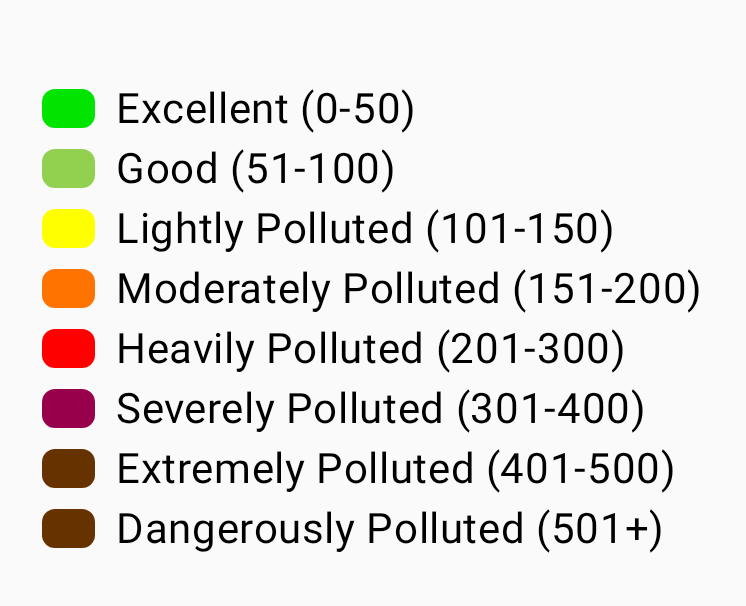
💡 Vihje: Keskkonnamõõdikute jaoks on vaja kaugsõlmega ühendatud andurit. Not all nodes report environmental data. Vaata Telemeetria & Sensorid, et näha toetatud andurite täieliku loendit.
Air Quality Metrics
Air Quality is a dedicated metrics view for nodes equipped with a particulate-matter and/or CO₂ sensor. See on eraldi BME680 siseõhu kvaliteedi näidust, mis on loetletud keskkonnamõõdikute all – siseõhu kvaliteet on ühtne gaasitakistusest tuletatud indeks, samas kui õhukvaliteedi vaade diagrammib aluseks olevaid tahkete osakeste ja CO₂ mõõtmisi.
| Meetriline | Unit | Kirjeldus |
|---|---|---|
| PM1.0 | µg/m³ | Particulate matter up to 1.0 micron |
| PM2,5 | µg/m³ | Particulate matter up to 2.5 microns |
| PM10 | µg/m³ | Particulate matter up to 10 microns |
| AQI | EPA indeks | EPA NowCast õhukvaliteedi indeks on arvutatud hiljutise PM2.5 ajaloo põhjal ja sellel on värvikoodiga raskusastme silt. Kuvatakse PM2.5 kõrval, kui on kogunenud piisavalt näite. |
| CO₂ | ppm | Süsinikdioksiidi kontsentratsioon |
| CO₂ temperature | °C / °F | Temperature reported by the CO₂ sensor itself (e.g. SCD4x) |
| CO₂ humidity | % | Relative humidity reported by the CO₂ sensor |
CO₂ näidud on vastavalt raskusastmele värvikoodiga kodeeritud, et õhukvaliteeti oleks kiirelt loetav:
| Band | CO₂ Range (ppm) | Värv |
|---|---|---|
| Hea | < 1000 | Roheline |
| Stuffy | < 2000 | Merevaik |
| Kehv | < 5000 | Oranž |
| Ebaturvaline | < 30000 | Punane |
| Evakueeru | ≥ 30000 | Tume punane |
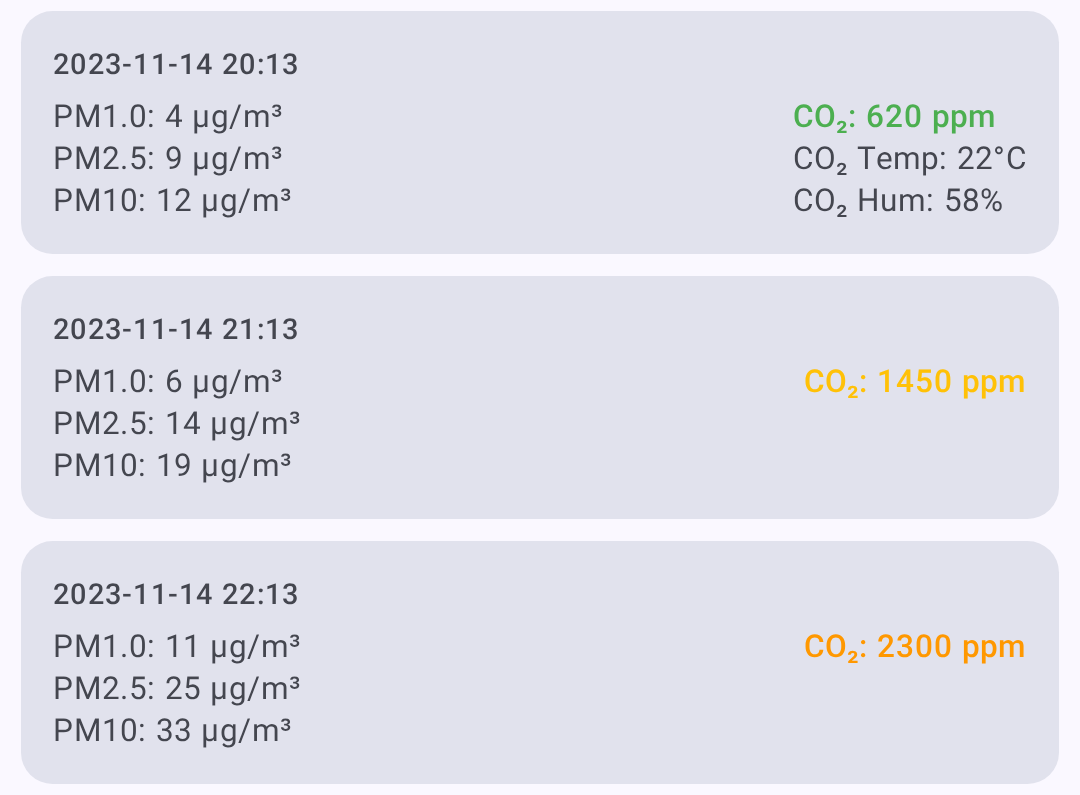
An air-quality log/metrics button appears on the node detail screen only when the node has reported air-quality telemetry. From the Air Quality view you can:
- Select a time frame for the charts.
- Filtreeri mõõdikute kiipide abil — kuvatakse ainult andmeid sisaldavad mõõdikud.
- Refresh / request the latest air-quality telemetry.
- Ekspordi CSV analüüsimiseks arvutustabeli vaates.
💡 Vihje: Õhukvaliteedi mõõdikute jaoks on vaja kaugsõlmega ühendatud andurit. If a node has no particulate or CO₂ sensor, the air-quality button won’t appear. Vaata Telemeetria & Sensorid toetatud raudvara kohta.
Signaali mõõdikud
Radio signal quality information:
| Meetriline | Kirjeldus |
|---|---|
| SNR | Signal-to-Noise Ratio (higher is better) |
| RSSI | Received Signal Strength Indicator (closer to 0 is better) |
| Noise Floor | Local background RF noise in dBm (more negative is quieter) |
| Hüppete loendur | Viimase sõnumi kärgvõrgu hüpete arv |
Signal Quality Reference
Signaali kvaliteeti hinnatakse SNR-i põhjal, mis on seotud aktiivse LoRa modemi eelseadistuse demodulatsiooni alumise piiriga, mitte fikseeritud läviväärtuste põhjal – antud SNR tähendab erinevatel eelseadistustel erinevat väärtust (nt −15 dB on LongSlow režiimil hea, kuid ShortFast režiimil mittekasutatav). RSSI on kuvatud, aga see ei ole osa hinnangust. Letting limit be the preset’s SNR limit:
| Quality | Criteria |
|---|---|
| Hea | SNR above the preset’s limit |
| Rahuldav | less than 5.5 dB below the limit |
| Halb | 5.5 dB to 7.5 dB below the limit |
| Puudub | more than 7.5 dB below the limit |
See Understanding the Signal Meter for the full explanation.
Kohalik statistika ühendatud raadiost kuvatakse ka signaali kvaliteedi all, kui see on saadaval. Need logid sisaldavad mürataset, liiklusloendureid, edastusloendureid, võrgus olevate sõlmede arvu ja raadio tööaega. The noise floor chart uses a dashed reference line at -85 dBm to help identify a busy RF environment. Kasuta Taotle, et küsida ühendatud raadiost uut kohaliku statistika telemeetriaaruannet, Tühjenda, et eemaldada selle sõlme kohaliku statistika logi ja Salvesta, et salvestada nähtavat kohaliku statistika ajalugu CSV-failina.
Võimsusnäitajad
Power management telemetry (requires INA sensor or compatible hardware):
| Meetriline | Kirjeldus |
|---|---|
| Bus Voltage | Supply voltage |
| Pinge | Power draw in milliamps |
| Toide | Calculated wattage |
Marsruudi
Traceroute näitab sõnumi teed läbi kärgvõrgu:
- Sõlme üksikasjade ekraanil puuduta Traceroute.
- The app sends a traceroute request to the target node.
- Tulemused näitavad iga hüpet koos SNR/RSSI väärtustega.
Reading Traceroute Results
You → Node A (SNR: 8.5) → Node B (SNR: 5.2) → Target
Iga hüpe esindab vahendussõlme, mis sõnumi edastas.
Asukoha logi
Asukohta jagavate sõlmede ajaloolised asukohaandmed:
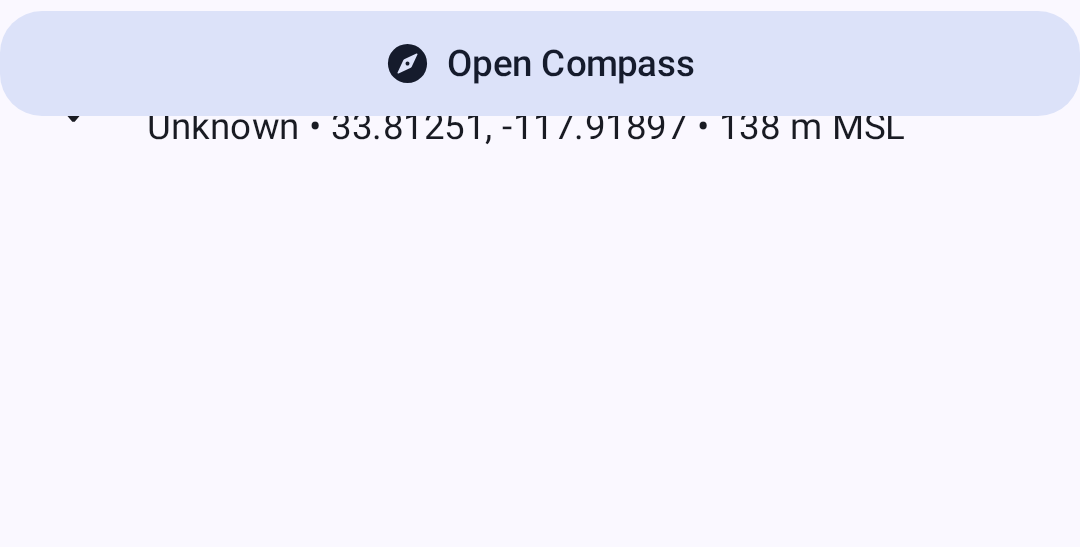
- GPS koordinaadid
- Kõrgus
- Speed (if moving)
- Timestamp for each position report
Naabruse teave
Näitab, milliseid sõlmi antud sõlm otse kuuleb, kasulik kärgvõrgus topoloogia mõistmiseks.
Viewing Metrics
- Mine Seadmed.
- Puuduta sõlme, mida soovite kontrollida.
- Select the metric category from the detail tabs.
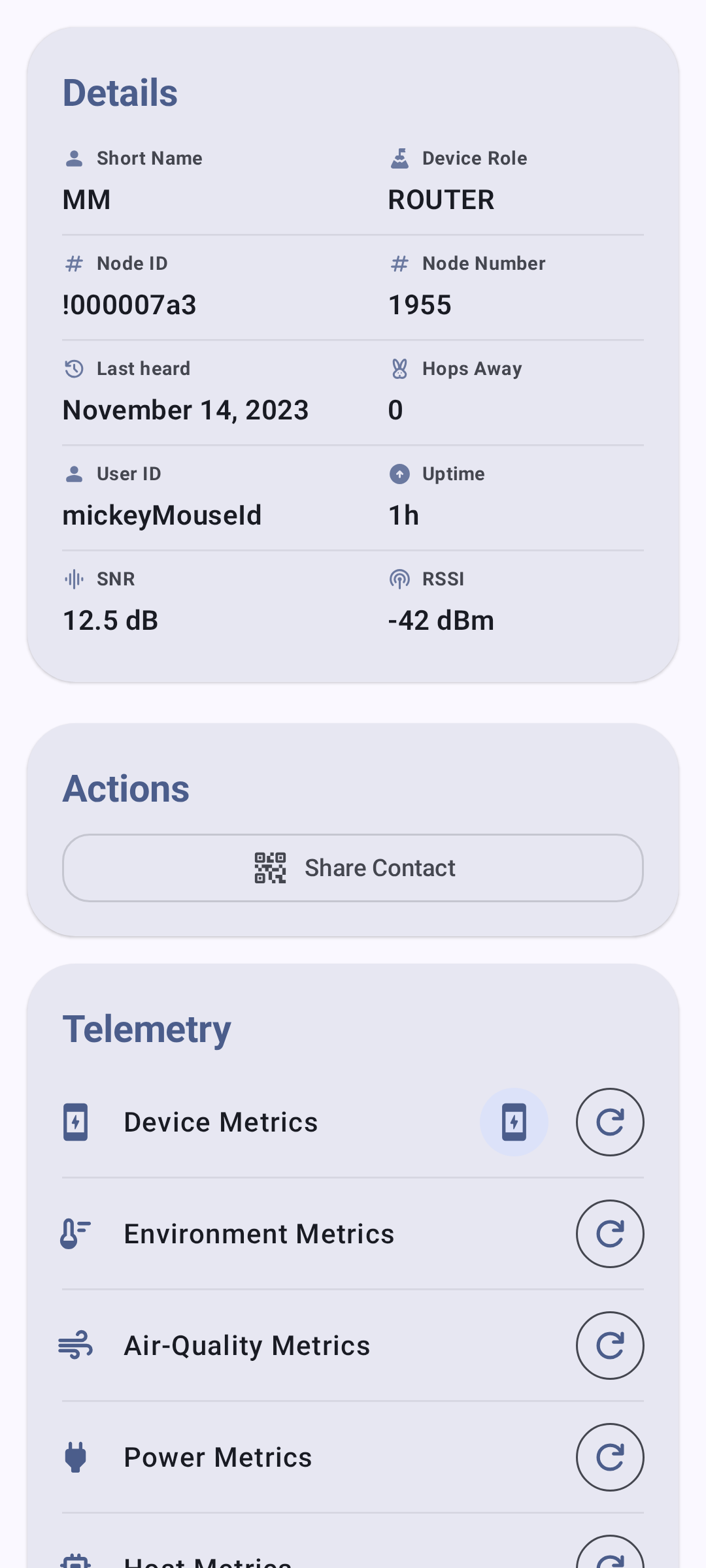
Asukoha vahekaart kuvab GPS-i jagavate sõlmede asukohaandmeid:
⚠️ Märkus: Mõõdikud on saadaval ainult siis, kui need on kaugsõlme poolt esitatud. Mõõdikud värskendatakse iga sõlme telemeetria sätetes seadistatud intervallidega.
Related Topics
- Nodes — node list, filtering, and sorting
- Telemeetria & Sensorid — toetatud andurid ja seadistus
- Signal Meter — how signal quality is calculated from SNR and RSSI
- Avasta — traceroute’i üksikasjad ja naabri teave
- Ühikud ja lokaat — temperatuuri, kauguse ja kiiruse kuvamise ühikud