Radion mittarit
Radion tietonäyttö tarjoaa kattavat telemetria- ja mittaritiedot jokaiselle verkon radiolle.
Laitteen mittausloki
Perustoimintatiedot, jotka jokainen radio raportoi:
| Metrijärjestelmä | Kuvaus |
|---|---|
| Akun varaustaso | Nykyinen akun varaustaso |
| Jännite | Akun jännitelukema |
| Kanavan Käyttö | Käytetyn lähetysajan käyttöasteen prosenttiosuus |
| Lähetysaika | Tämän radion käyttämä lähetysaika |
| Käyttöaika | Aika viimeisestä uudelleenkäynnistyksestä |
Laitemittarit näytetään erillisinä kortteina, joissa trendikäyrät esittävät akun varaustason, jännitteen, kanavan käyttöasteen, käyttöasteen ja käyttöajan kehitystä ajan kuluessa.
💡 Vinkki: Napauta mitä tahansa mittarikorttia laajentaaksesi sen täydelliseksi kaavioksi, jossa näkyvät historiatiedot. Nipistä lähentääksesi tai loitontaaksesi aika-akselia.
Ympäristöarvot
Ympäristöanturien tiedot (edellyttää yhteensopivaa laitteistoa):
| Metrijärjestelmä | Anturiesimerkkejä |
|---|---|
| Lämpötila | BME280, BME680, SHT31 |
| Kosteus | BME280, BME680, SHT31 |
| Barometrinen paine | BME280, BMP280 |
| Kaasuvastus | BME680 |
| IAQ (ilmanlaatu) | BME680 |
Ympäristömittarit esitetään kaavioina ajan kuluessa tapahtuvan trendianalyysin helpottamiseksi — lämpötila, kosteus ja ilmanpaine saavat kukin oman viivakaavionsa, jossa mittayksikkö näkyy Y-akselilla.
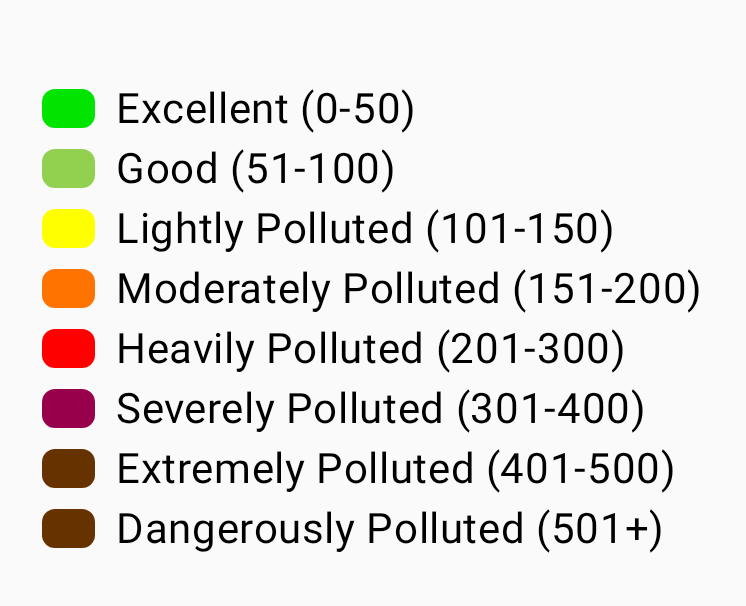
BME680:n IAQ (Indoor Air Quality) -indeksi on yksi arvo väliltä 0–500+, joka perustuu kaasun resistanssiin. Se näytetään värikoodatulla asteikolla välillä Erinomainen–Vaarallisen saastunut:
💡 Vinkki: Ympäristömittarit edellyttävät etäradioon liitettyä anturia. Kaikki radiot eivät raportoi ympäristötietoja. Katso Telemetria ja anturit saadaksesi täydellisen luettelon tuetuista antureista.
Ilmanlaatumittarit
Ilmanlaatu on erillinen mittarinäkymä radioille, joissa on hiukkas- ja/tai CO₂-anturi. Se on erillinen BME680:n IAQ-lukemasta, joka on lueteltu ympäristömittareissa — IAQ on yksittäinen kaasuvastukseen perustuva indeksi, kun taas ilmanlaatunäkymä esittää varsinaiset hiukkas- ja CO₂-mittaukset kaavioina.
| Metrijärjestelmä | Yksikkö | Kuvaus |
|---|---|---|
| PM1.0 | µg/m³ | Enintään 1,0 mikrometrin kokoiset hiukkaset |
| PM2.5 | µg/m³ | Enintään 2,5 mikrometrin kokoiset hiukkaset |
| PM10 | µg/m³ | Enintään 10 mikrometrin kokoiset hiukkaset |
| AQI | EPA-indeksi | EPA:n NowCast-AQI, joka lasketaan viimeaikaisesta PM2.5-historiastasi ja esitetään värikoodatulla ilmanlaadun luokituksella. Näytetään PM2.5-arvon yhteydessä, kun mittauksia on kertynyt riittävästi. |
| CO₂ | ppm | Hiilidioksidipitoisuus |
| CO₂ lämpötila | °C / °F | CO₂ anturin ilmoittama lämpötila (esim. SCD4x) |
| CO₂ kosteus | % | CO₂ anturin ilmoittama suhteellinen ilmankosteus |
CO₂-lukemat on värikoodattu vakavuusasteen mukaan, jotta ilmanlaadun arviointi onnistuu yhdellä silmäyksellä:
| Taajuusalue | CO₂-pitoisuus (ppm) | Väri |
|---|---|---|
| Hyvä | < 1000 | Vihreä |
| Tunkkainen | < 2000 | Keltainen |
| Huono | < 5000 | Oranssi |
| Vaarallinen | < 30000 | Punainen |
| Evakuoi | ≥ 30000 | Tummanpunainen |
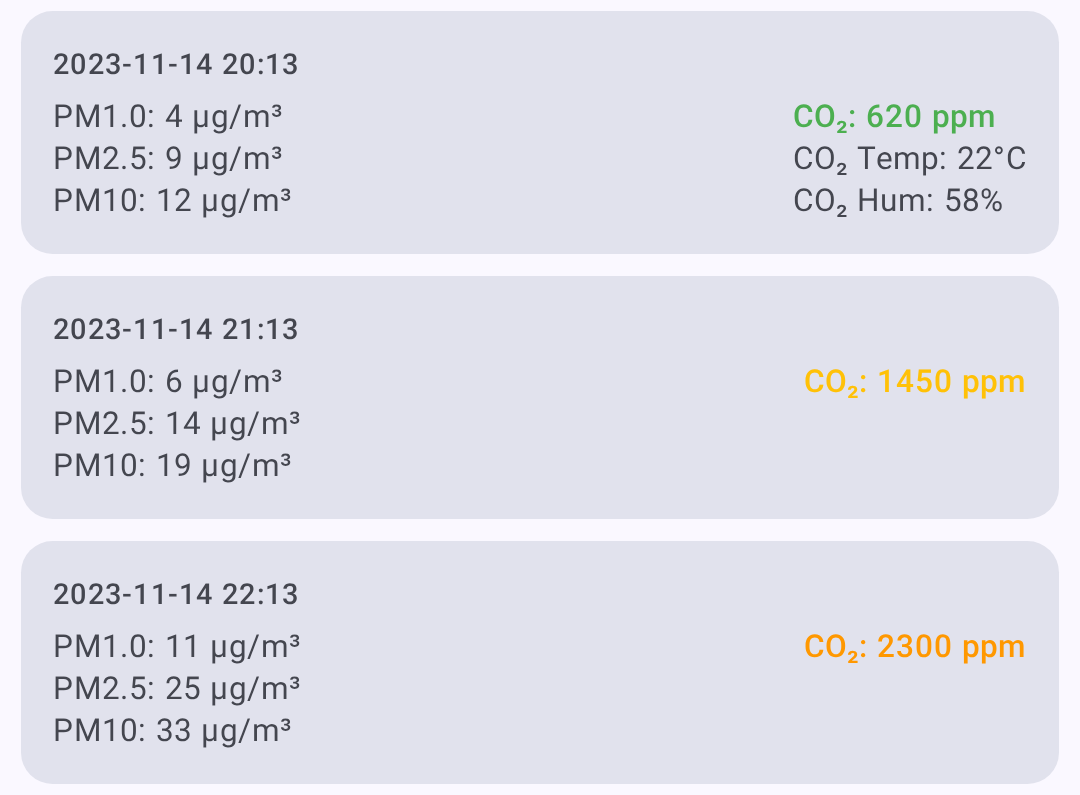
Ilmanlaatu tai mittaripainike näkyy radion tietonäytössä vain silloin, kun radio on raportoinut ilmanlaatutelemetriaa. Ilmanlaatu-näkymässä voit:
- Valita kaavioille aikajakson.
- Suodattaa mittarisiruilla — vain mittarit, joista on dataa, näytetään.
- Päivittää ja pyytää uusimmat ilmanlaatutelemetriatiedot.
- Viedä CSV-tiedostoon analysoitavaksi taulukkolaskentaohjelmassa.
💡 Vinkki: Ilmanlaatumittarit edellyttävät yhteensopivaa ilmanlaatuanturia etäradiossa. Jos radiossa ei ole hiukkas- tai CO₂-anturia, ilmanlaatupainiketta ei näytetä. Katso Telemetria ja anturit saadaksesi lisätietoja tuetusta laitteistosta.
Signaalin voimakkuudet
Radiosignaalin laatutiedot:
| Metrijärjestelmä | Kuvaus |
|---|---|
| SNR | Signaali-kohinasuhde (suurempi SNR on parempi) |
| RSSI | Vastaanotetun signaalin voimakkuusindikaattori (RSSI) (lähempänä nollaa on parempi) |
| Kohinataso | Paikallinen taustakohina dBm-arvona (negatiivisempi on hiljaisempi) |
| Hyppylaskuri | Verkon hyppymäärä viimeisimmälle viestille |
Signaalin laadun viitearvot
Signaalin laatu arvioidaan SNR-arvon perusteella suhteessa käytössä olevan LoRa-modeemiesiasetuksen demodulaation alarajaan, ei kiinteiden raja-arvojen perusteella. Sama SNR-arvo voi tarkoittaa eri asioita eri esiasetuksilla (esim. -15 dB on hyvä LongSlow-esiasetuksella, mutta käyttökelvoton ShortFast-esiasetuksella). RSSI näytetään, mutta sitä ei käytetä arvioinnissa. Jos raja tarkoittaa esiasetuksen SNR-rajaa:
| Laatu | Kriteerit |
|---|---|
| Hyvä | SNR esiasetuksen rajan yläpuolella |
| Kohtalainen | alle 5,5 dB rajan alapuolella |
| Huono | 5,5–7,5 dB rajan alapuolella |
| ei mitään | yli 7,5 dB rajan alapuolella |
Katso Signaalimittarin toiminta, jos haluat täydellisen selityksen.
Yhdistetyn radion paikalliset tilastot näytetään myös Signaalin laatu -näkymässä silloin, kun ne ovat saatavilla. Nämä kerätyt tiedot sisältävät kohinatason, liikennelaskurit, välityslaskurit, verkossa olevien radioiden määrän sekä radion käyttöajan. Kohinatason kaaviossa käytetään katkoviivalla merkittyä viiteviivaa arvossa -85 dBm, jotta kuormittunut RF-ympäristö on helpompi tunnistaa. Käytä Pyydä-painiketta pyytääksesi yhdistetystä radiosta tuoreen Paikalliset tilastot -telemetriaraportin, Tyhjennä-painiketta poistaaksesi Paikalliset tilastot -lokit kyseiseltä radiolta ja Tallenna-painiketta viedäksesi näkyvän Paikalliset tilastot -historian CSV-tiedostoksi.
Virranhallinnan arvot
Virranhallintatelemetria (edellyttää INA-anturia tai yhteensopivaa laitteistoa):
| Metrijärjestelmä | Kuvaus |
|---|---|
| Väyläjännite | Syöttöjännite |
| Virta | Virrankulutus milliampeereina |
| Virta | Laskennallinen teho |
Reitinselvitys
Reitinselvitys näyttää viestin kulkeman reitin verkossa:
- Napauta radion tietonäytössä Reitinselvitys.
- Sovellus lähettää reitinselvityspyynnön kohderadiolle.
- Tulokset näyttävät jokaisen hypyn SNR- ja RSSI-arvoineen.
Reitinselvityksen tulosten lukeminen
Sinä → Radio A (SNR: 8.5) → Radio B (SNR: 5.2) → Kohde
Jokainen hyppy edustaa välitysradiota, joka välitti viestin eteenpäin.
Sijainnin Loki
Historialliset sijaintitiedot radioille, jotka jakavat sijaintinsa:
- GPS-koordinaatit
- Korkeus
- Nopeus (jos radio liikkuu)
- Aikaleima jokaiselle sijaintiraportille
Naapuritieto
Näyttää, mitkä radiot tietty radio voi kuulla suoraan, mikä auttaa ymmärtämään verkon topologiaa.
Mittareiden tarkastelu
- Siirry kohtaan Radiot.
- Napauta radiota, jota haluat tarkastella.
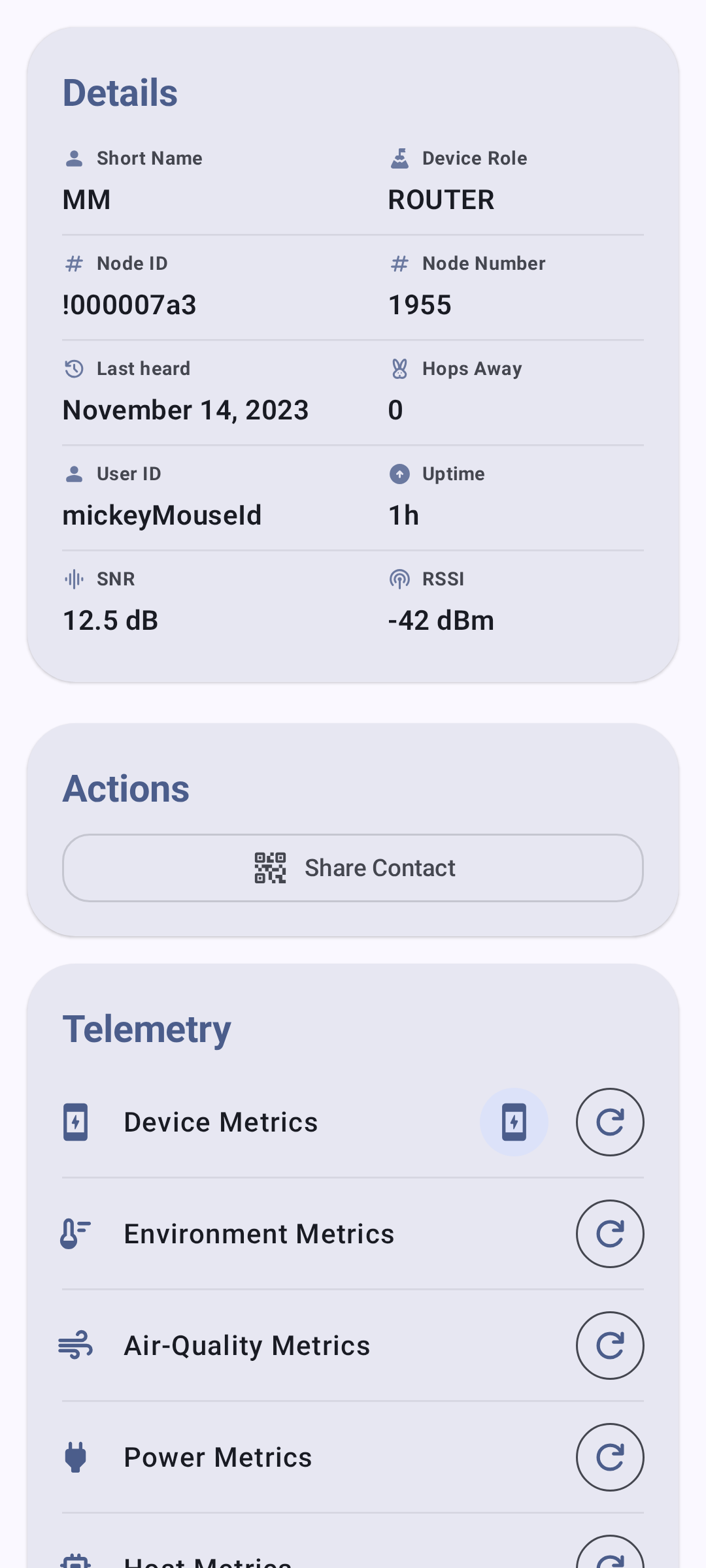
- Valitse mittariluokka tietonäytön välilehdistä.
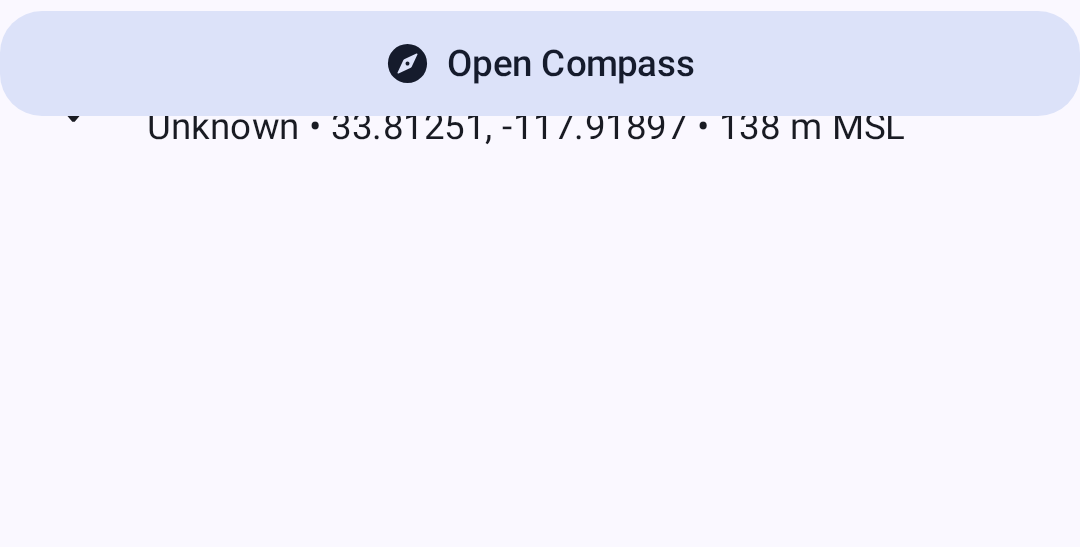
Sijainti-välilehti näyttää sijaintitiedot radioille, jotka jakavat GPS-sijaintinsa:
⚠️ Huomautus: Mittarit ovat käytettävissä vain, jos etäradio on raportoinut ne. Mittarit päivittyvät kunkin radion telemetria-asetuksissa määritetyin väliajoin.
Aiheeseen liittyvät aiheet
- Radiot — radioluettelo, suodatus ja lajittelu
- Telemetria ja anturit — tuetut anturit ja määritykset
- Signaalimittari — miten signaalin laatu lasketaan SNR- ja RSSI-arvoista
- Haku — reitinselvityksen tiedot ja naapuritiedot
- Yksiköt ja aluekohtaiset asetukset — lämpötilan, etäisyyden ja nopeuden näyttömuodot