Настройки - Радио и пользователь
Configure your node’s user identity, region and LoRa parameters, position and power behavior, network and Bluetooth connectivity, and security settings.
How these screens work
Everything here is on the Settings screen. User, LoRa, Channels and Security are listed there directly. Device, Position, Power, Network, Display and Bluetooth are one level down, under Settings → Device configuration. Network appears only on nodes with Wi-Fi or Ethernet, and Bluetooth only on nodes with Bluetooth.
Настройки используют стандартные элементы управления предпочтениями — выпадающие списки, переключатели и ползунки:
| Управление | Снимок экрана |
|---|---|
| Выпадающий список | 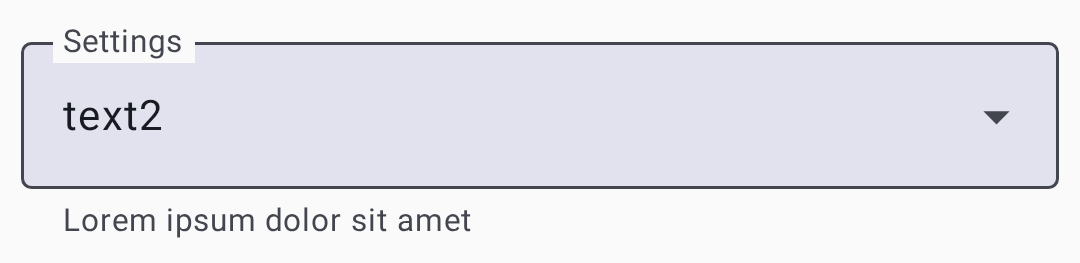 |
| Переключатель |  |
| Ползунок | 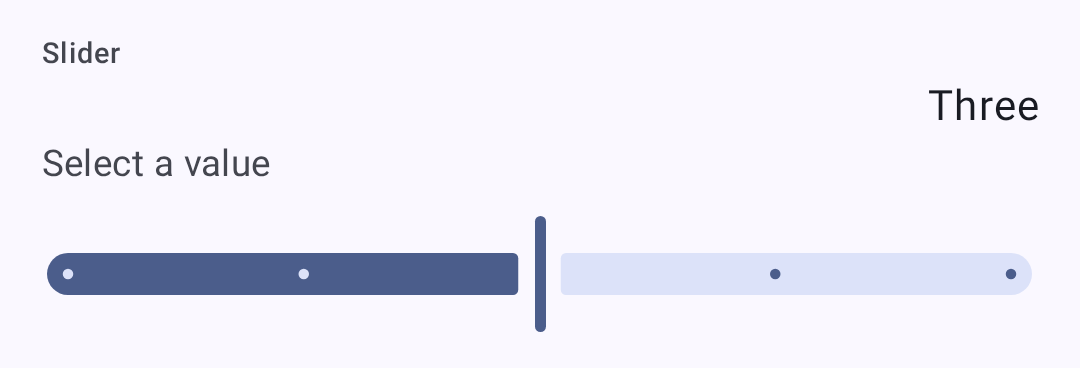 |
Настройки пользователя
Профиль пользователя
On Settings → User.
| Настройка | Описание |
|---|---|
| Полное имя | Ваше отображаемое имя (до 39 символов) |
| Короткое имя | 4-символьное сокращённое имя |
| Состояние сообщения | A short, public free-text status other nodes display alongside your node — up to 80 bytes, cleared with the ✕ in the field. The node broadcasts it to the mesh when you change it and again every 12 hours. Needs firmware 2.8 or newer, and is absent otherwise |
| Без сообщений | Marks the node as one nobody should try to message — for an unmonitored or infrastructure node. Other clients hide it from the contact list. Needs supporting firmware |
| Licensed amateur node (Ham) | Enable if you hold an amateur node license (permits higher power). Turning it on is staged behind a confirmation dialog. On your own node it then relabels Long Name as Call sign and adds a separate Long Name field; over remote admin the field stays Long Name |
Applying changes
The footer appears as soon as you change something. Discard throws the change away, and the other button writes it to the node: it reads Save & restart on the screens the firmware applies with a reboot — Position, Network, Bluetooth, Security, and most module screens — and Save everywhere else.
The status message is saved with the same Save, but it never reboots the node — and, like the rest of this screen, it can be edited on a remote node you administer. For your own node there is a shortcut while it is connected: touch & hold your node in the node list and choose Update status. Older firmware and a disconnected node have no shortcut — the field itself is still the way in.
Настройки
Настройки устройства
On Settings → Device configuration → Device.
| Настройка | Описание | По умолчанию |
|---|---|---|
| Роль устройства | Node behavior. The picker lists the firmware names (CLIENT, ROUTER, ROUTER_LATE, TAK, and so on), and the description of whichever role is selected appears under the field. Choosing ROUTER or ROUTER_LATE asks you to confirm you have read the device-role guidance first | CLIENT |
| Режим ретрансляции | How the node retransmits messages. As with the role, the picker lists the firmware names and describes only the selected one | ALL |
| Интервал вещания передачи информации об узле | How often the node re-announces itself. A dropdown of fixed intervals — Unset, then 3 to 72 hours — not a value you type in seconds | 3 hours |
| Двойное нажатие как кнопка | Treat a double tap as a button press | Включено |
| Маякнуть при тройном нажатии | Send an ad-hoc position ping on a triple click | Включено |
| Сердцебиение светодиодом | Blink the status LED periodically | Включено |
| Часовой пояс | POSIX time-zone string for the device clock, with buttons to copy your phone’s zone or clear it | — |
| Button / Buzzer GPIO | Advanced: which pins the button and buzzer are wired to | — |
Настройка LoRa
On Settings → LoRa.
| Настройка | Описание | По умолчанию |
|---|---|---|
| Регион / Страна | Regulatory region for frequency bands. You must set this before transmitting. On firmware 2.8 or newer, the first region set also creates the node’s identity key and gives it a new node number | Не установлено (необходимо настроить) |
| Шаблоны | Компромисс между скоростью и дальностью | LongFast |
| Количество прыжков | Максимальное количество ретрансляций | 3 |
| Transmit Power (dBm) | Transmission power; 0 = max allowed for region | 0 (максимум региона) |
| Переопределить частоту | Overrides the computed operating frequency outright (MHz). It doesn’t offset the calculated value — leave at 0 unless you know you need a specific frequency | 0 (use calculated) |
| Использовать шаблон | On by default. Turn it off to set Spread Factor, Coding Rate and Bandwidth by hand instead of taking them from the modem preset | On |
| Coding Rate Override | Preset mode only, firmware 2.7.18 or newer: raises the preset’s coding rate for more error correction while keeping its bandwidth and spread factor. Only rates above the preset’s own are offered, and a preset already at 4/8 has none. Nodes on the same preset still hear each other, but every packet takes longer on air and uses more of the duty cycle. Switching to a preset that already meets the override resets it to the preset default | Preset default |
| Коэффициент распространения | Manual mode only: 5–12. Higher spreads further but slower. On SX127x (RF95) radios the firmware doesn’t accept 5 or 6 and uses 11 instead | From preset |
| Частота кодирования | Manual mode only: 5–8. More redundancy costs airtime | From preset |
| Ширина канала | Manual mode only: the channel bandwidth in kHz, typed in directly. On the 2.4 GHz region the app offers a list of the bandwidths your node supports instead, and a stored value that isn’t on that list shows as Unsupported and blocks saving until you pick a supported one | From preset |
| Частота слота | Which slot within the region’s band to use. 0 derives it from the primary channel name | 0 (automatic) |
| Передача включена | Turning this off makes the node receive-only | On |
| Переопределить рабочий цикл | Ignores the region’s duty-cycle limit. Illegal in most regions; turn it on only where your license permits | Выкл |
| Игнорировать MQTT | Drop packets that arrived from MQTT rather than over the air. The firmware turns this on for you whenever you set a region that has a duty-cycle limit — the EU bands, Thailand, and Ukraine 433 | Off, until you set a duty-cycle-limited region |
| ОК в MQTT | Allow your packets to be forwarded to MQTT by gateways | Выкл |
| Усиление RX | Extra receive gain on SX126x radios; costs a little current | Выкл |
| PA вентилятор выключен | Turn off the power-amplifier fan on hardware that has one | Выкл |
The preset list is also filtered to what your region legally permits, so a preset allowed in one region doesn’t appear in another. Changing region can therefore leave your current preset illegal — the app repairs it for you, switching to the region’s own default rather than leaving an unusable setting in place. The region list itself is filtered by what your firmware supports, so the newer regions appear only on 2.8 or later, alongside whichever region the node already has set.
Some regions are amateur-node allocations whose presets only licensed operators may use. On firmware 2.8 or newer the app knows which regions those are and grays the whole Presets list out until Licensed amateur node (Ham) is turned on for the node you are configuring; the text under the field says so while it is grayed out.
⚠️ Important: Operating without the correct region may violate local radio regulations. Смотрите руководство по настройке региона на сайте meshtastic.org для получения подробной информации.
Modem presets
The Lite, Narrow, Medium Turbo, and Tiny presets need firmware 2.8 or newer — the app hides them on older nodes.
💡 Совет: Значения порога SNR специально отрицательные. LoRa может декодировать сигналы ниже уровня шума, поэтому более отрицательный предел означает, что пресет допускает более слабый, шумный сигнал (больший радиус действия). Смотрите Как работает измеритель сигнала для полного объяснения.
| Предустановка | Диапазон | Скорость | Предел SNR | Лучше всего для |
|---|---|---|---|---|
| Short Turbo | ~1 км | 21.9 кб/с | −7.5 дБ | Плотная городская застройка с прямой видимостью; приложения, требующие высокой передачи данных |
| Short Fast | ~3 км | 10.9 кб/с | −7.5 дБ | Городские районы; здания в пределах нескольких кварталов |
| Short Slow | ~5 км | 6.25 kbps | -10 дБ | Пригородная зона с коротким диапазоном; умеренная плотность застройки |
| Medium Fast | ~5 км | 3.52 kbps | −12.5 дБ | Пригородные районы; умеренная плотность застройки |
| Medium Slow | ~8 км | 1.95 kbps | -15 дБ | Пригородный/сельский; умеренный диапазон со сниженной скоростью |
| Long Turbo | ~10 км | 1.34 kbps | −17.5 дБ | Диапазон, похожий на Long Fast, но с полосой пропускания 500 кГц; более высокая пропускная способность |
| Long Fast | ~10 км | 1.1 кб/с | −17.5 дБ | Общее использование (по умолчанию) — сбалансированный диапазон и скорость |
| Long Moderate | ~20 км | 0.34 кб/с | −17.5 дБ | Сельская местность с некоторым рельефом; случайное использование |
| Lite Fast | ~5 км | 1.76 kbps | −12.5 дБ | Диапазон RU 866 МГц SRD (ширина полосы 125 кГц); аналогично Medium Fast |
| Lite Slow | ~10 км | 0.98 kbps | -15 дБ | Диапазон RU 866 МГц SRD (ширина полосы 125 кГц); аналогично Long Fast |
| Narrow Fast | ~5 км | 2.28 kbps | −7.5 дБ | Диапазон RU 868 МГц (полоса пропускания 62,5 кГц); предотвращает помехи с другими устройствами |
| Narrow Slow | ~10 км | 1.30 kbps | -10 дБ | Диапазон RU 868 МГц (ширина полосы 62,5 кГц); аналогично Long Fast |
| Medium Turbo | ~5 км | 7.0 kbps | −12.5 дБ | Like Medium Fast but with 500 kHz bandwidth; not legal in every region. Needs firmware 2.8 or newer |
| Tiny Fast | ~10 км | 0.68 kbps | −7.5 дБ | Amateur bands that cap occupied bandwidth; these presets use 15.6 kHz. Needs firmware 2.8 or newer, an SX126x or SX127x radio, and a TCXO of ±5 ppm or better |
| Tiny Slow | ~20 км | 0.33 kbps | -10 дБ | Same band restrictions as Tiny Fast, longer range. Same firmware, node, and TCXO requirements |
| ~30 км | 0.18 кб/с | −20 дБ | ⚠️ Устарел — всё ещё доступен для выбора, но может быть удален в будущих версиях прошивки | |
| ~40+ км | 0.09 кб/с | −20 дБ | ⚠️ Устарел — всё ещё доступен для выбора, но может быть удален в будущих версиях прошивки |
i Примечание: В этой таблице используются общие короткие имена. The app’s Presets dropdown lists the raw firmware names instead —
SHORT_FAST,LONG_FAST,LITE_FAST,NARROW_FAST, and so on. Local Mesh Discovery shows the same presets as Long Fast and Short Turbo.
Choosing a modem preset
Предустановка модема управляет основным компромиссом между дальностью и скоростью передачи данных:
- Медленные предустановки используют большее распространение, что позволяет декодировать сигналы при более слабых уровнях сигнала (ниже порога SNR). Это означает большую дальность, но меньше байт в секунду.
- Быстрые предустановки передают больше данных за одну передачу, но требуют более сильного сигнала для декодирования.
Практическое руководство:
- Городская сеть (много нод, короткие расстояния): Используй Long Fast (по умолчанию) или Short Fast. Более высокая скорость означает меньшее переполнение канала эфирного времени, когда многие ноды используют канал.
- Сельская/разреженная сеть (мало нод, большие расстояния): Используй Long Moderate. Дальность важнее скорости, когда ноды находятся далеко друг от друга.
- Соответствие нормативным требованиям RU 866/868 МГц: Используй Lite Fast, Lite Slow, Narrow Fast или Narrow Slow — они оптимизированы для диапазонов RU SRD/868 МГц с более узкой полосой пропускания.
- Фиксированные инфраструктурные связи: Используй Short Turbo или Long Turbo для выделенных соединений точка-точка с хорошими антеннами и прямой видимостью.
- Смешанные среды: Используй Long Fast — это настройка по умолчанию в сообществе и она обеспечит совместимость с другими в вашем регионе.
All nodes on the same channel must use the same modem preset. Nodes with mismatched presets can’t communicate even if they share the same frequency and encryption key.
The range estimates in the Modem Presets table assume flat terrain and modest antennas. Преимущество высоты (вершина холма, крыша) значительно увеличивает эффективную дальность. Хорошо размещённый маршрутизатор с Long Fast часто может превзойти наземную ноду с Long Slow.
Параметры дисплея
On Settings → Device configuration → Display. These control the node’s own screen, not the app’s.
| Настройка | Описание |
|---|---|
| Включать экран на | How long the display stays lit before sleeping |
| Интервал карусели | How often the node cycles between screens on its own |
| Режим экрана | Screen layout/density used by the firmware |
| Система измерения | Metric or Imperial on the node’s screen |
| Использовать 12-часовой формат времени | Show the node’s clock as 12-hour rather than 24-hour |
| Выделять заголовок жирным | Draw the screen’s heading text in bold |
| Повернуть экран | Rotate the display 180° for an inverted mounting |
| Тип OLED | Six values, shown as the raw constants: OLED_AUTO, OLED_SSD1306, OLED_SH1106, OLED_SH1107, OLED_SH1107_128_128, OLED_SH1107_ROTATED |
| Включать экран при касании или движении | Light the screen when the node is tapped or moved |
| Направление компаса | Rotation offset for the compass rose. Eight values, shown as the raw constants DEGREES_0 through DEGREES_270 plus an _INVERTED variant of each |
| Всегда указывать на север | Locks the compass rose north-up instead of rotating it with your heading. Independent of Compass orientation — neither replaces the other |
Настройки местоположения
On Settings → Device configuration → Position.
| Настройка | Описание |
|---|---|
| Режим GPS (физическое оборудование) | Three-state: GPS enabled, disabled, or not present. Not a simple on/off |
| Интервал опроса GPS | How often the node asks its GPS for a fix |
| Период рассылки | How often the position is shared with the mesh |
| Умная позиция | Broadcast based on movement rather than purely on the clock |
| Умный интервал | With Smart Position on, the shortest gap between broadcasts |
| Умное расстояние | With Smart Position on, how far you must move before broadcasting |
| Фиксированная позиция | Use a manually entered latitude, longitude and altitude instead of the GPS |
| Флаги позиции | A group of toggles choosing which fields ride along with a position — altitude, its reference and precision, satellites in view, timestamp, and so on |
| GPS EN / Receive / Transmit GPIO | Advanced: the pins the GPS module is wired to |
Настройка питания
On Settings → Device configuration → Power.
| Настройка | Описание |
|---|---|
| Включить режим энергосбережения | Let the node sleep aggressively between activity |
| Выключение при потере мощности | Power the device down after external power disappears |
| Длительность супер-глубокого сна | How long the deepest sleep state lasts |
| Минимальное время бодрствования | The shortest time the node stays awake once woken |
| Длительность ожидания Bluetooth | How long to wait for a phone to connect before sleeping |
| Коэффициент переопределения ADC | Turn on a manual correction for battery-voltage readings |
| Коэффициент переопределения ADC | The correction factor itself, used only when the override is on |
| I2C-адрес INA_2XX батареи | Address of an external INA-series power sensor, if fitted |
Настройка сети
On Settings → Device configuration → Network, on nodes with Wi-Fi or Ethernet.
⚠️ Warning: Turning on Wi-Fi enabled or Ethernet enabled ends the Bluetooth connection between your phone and the node. Reconnect over the network afterwards from the Connections screen, or turn Wi-Fi off again from the node’s own screen or over USB. Saving this screen also always reboots the node.
| Настройка | Описание |
|---|---|
| Wi-Fi enabled | Enable the Wi-Fi node (ESP32 nodes) |
| Название сети | Network name to connect to. Appears only once Wi-Fi enabled is on, along with Password. Scan Wi-Fi QR code fills both from a standard Wi-Fi QR code; on Android, holding the phone against a Wi-Fi NFC tag while this screen is open fills them the same way, and the app offers to open system settings if NFC is turned off |
| Пароль | Пароль сети |
| Ethernet включен | Use a wired connection on hardware that has one |
| Режим IPv4 | DHCP, or a static address configured with the four fields that follow |
| Wi-Fi IP / Subnet / Gateway / DNS | The static address, only used when IPv4 mode is static |
| UDP трансляция | Share mesh traffic with other nodes over the local network |
| NTP-сервер | Сервер синхронизации времени |
| Сервер rsyslog | Удалённый сервер логирования |

Настройка Bluetooth
On Settings → Device configuration → Bluetooth, on nodes with Bluetooth.
| Настройка | Описание |
|---|---|
| Bluetooth включен | Включение/отключение BLE радиостанции |
| Режим сопряжения | Фиксированный PIN, случайный PIN или без PIN |
| Фиксированный PIN-код | PIN code for pairing. Must be exactly six digits — the field rejects anything else |
Настройки безопасности
On Settings → Security. The screen is grouped into cards: Packet authenticity, Direct Message Key (your node’s key pair), Admin Keys, Logs, and Administration.
| Настройка | Описание |
|---|---|
| Публичный ключ | Публичный ключ твоей ноды (только для чтения) |
| Ключ администратора | Keys permitted to administer this node remotely — up to three |
| Приватный ключ | Your node’s private key (handle securely). Shown redacted when you are viewing another node over remote admin — the firmware doesn’t send it |
| Пересоздать приватный ключ | Issues a new keypair for this node, behind a confirmation. Every peer that knew your old key must learn the new one |
| ⚠️ Удалено — теперь настраивается автоматически при установке ключа администратора | |
| Консоль COM-порта | Serial console over the Stream API |
| API журнала отладки включен | Output live debug logging over serial, and view and export position-redacted node logs over Bluetooth |
| Управляемый режим | Locks the whole Configuration list, not just channels — every setting on the node becomes read-only and only an admin can change anything. Only selectable once an Admin Key is set |
| Резервное копирование | Save an encrypted backup of the node’s keys on this phone (only for your own node) |
| Восстановить ключи | Запишисать сохранённые ключи обратно на ноду (доступно, как только есть резервная копия) |
| Удалить резервную копию ключа | Remove the stored key backup from this phone |
| Уровень защиты | How unsigned or relayed packets are treated: Strict — Require authentication, Balanced — Prefer authenticated, or Compatible — Accept unsigned (requires supporting firmware; Strict asks for confirmation) |
Lockdown Mode
Lockdown encrypts the device’s storage and requires a passphrase for each connection. It needs supporting firmware; the row doesn’t appear otherwise.
Enabling it asks you to set and confirm a passphrase, and to acknowledge that it locks the debug (SWD) port on hardware where the lockout takes effect. That part isn’t reversible from the app. Turning lockdown off later decrypts your storage and reboots the device, but the port stays locked. Reopening it takes a full chip erase with a debug probe, which destroys everything on the device.
Alongside the passphrase you set the limits that end a session automatically:
| Field | Что она делает |
|---|---|
| Осталось загрузок | How many device boots the unlocked state survives |
| Часов до истечения | Wall-clock lifetime of the unlocked state |
| Ограничение сессии (минуты) | A per-boot uptime cap on the unlocked state. 0, the default, means no cap |
Once active, the row reads Active — storage encrypted, this connection authenticated when unlocked, or Active — enter your passphrase to unlock this connection when not. Lock Now ends the current session immediately. Repeated wrong passphrases are rate-limited with a back-off before you can try again.
⚠️ Warning: There is no passphrase recovery. Losing it means erasing the device to get it back, which destroys its keys, channels and settings.
Связанные темы
- Настройки — Модули и администрирование — дополнительные модули и управление устройством
- Измеритель сигнала — как предустановки модема влияют на пороги качества сигнала
- Конфигурация LoRa — подробная справка по настройкам LoRa на meshtastic.org
- Начальная конфигурация — руководство по настройке региона на meshtastic.org