設定:無線機とユーザー
Configure your node’s user identity, region and LoRa parameters, position and power behavior, network and Bluetooth connectivity, and security settings.
How these screens work
Everything here is on the Settings screen. User, LoRa, Channels and Security are listed there directly. Device, Position, Power, Network, Display and Bluetooth are one level down, under Settings → Device configuration. Network appears only on nodes with Wi-Fi or Ethernet, and Bluetooth only on nodes with Bluetooth.
設定には、標準的な設定コントロール(ドロップダウン、トグル、スライダー)を使用します:
| コントロール | スクリーンショット |
|---|---|
| ドロップダウン | 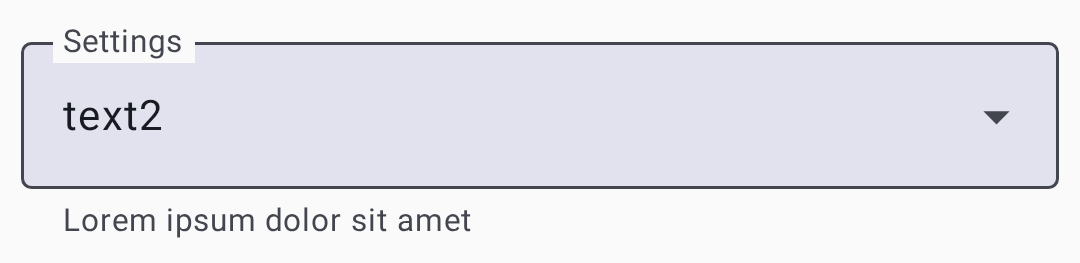 |
| トグル |  |
| スライダー | 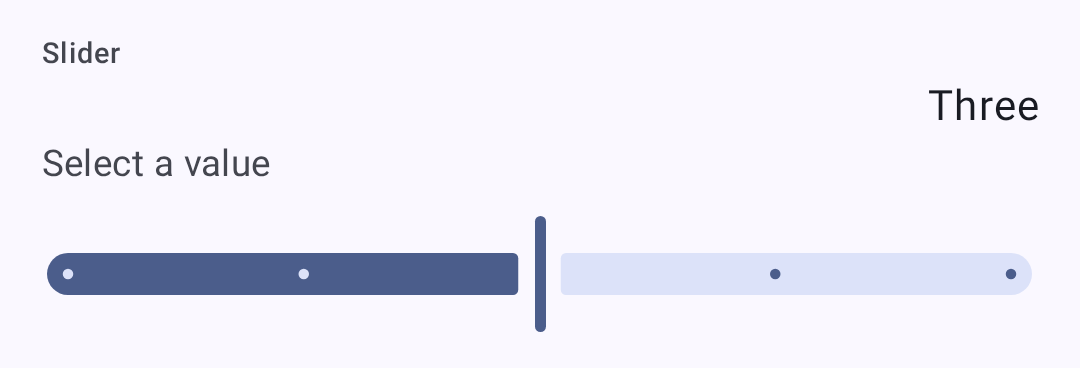 |
ユーザー設定
ユーザープロファイル
On Settings → User.
| 設定項目 | 説明 |
|---|---|
| 正式名称 | 表示名(最大 39 文字) |
| 短縮名 | 4 文字の短縮名 |
| ステータスメッセージ | A short, public free-text status other nodes display alongside your node — up to 80 bytes, cleared with the ✕ in the field. The node broadcasts it to the mesh when you change it and again every 12 hours. Needs firmware 2.8 or newer, and is absent otherwise |
| メッセージ不可 | Marks the node as one nobody should try to message — for an unmonitored or infrastructure node. Other clients hide it from the contact list. Needs supporting firmware |
| Licensed amateur node (Ham) | Enable if you hold an amateur node license (permits higher power). Turning it on is staged behind a confirmation dialog. On your own node it then relabels Long Name as Call sign and adds a separate Long Name field; over remote admin the field stays Long Name |
Applying changes
The footer appears as soon as you change something. Discard throws the change away, and the other button writes it to the node: it reads Save & restart on the screens the firmware applies with a reboot — Position, Network, Bluetooth, Security, and most module screens — and Save everywhere else.
The status message is saved with the same Save, but it never reboots the node — and, like the rest of this screen, it can be edited on a remote node you administer. For your own node there is a shortcut while it is connected: touch & hold your node in the node list and choose Update status. Older firmware and a disconnected node have no shortcut — the field itself is still the way in.
設定
デバイスの設定
On Settings → Device configuration → Device.
| 設定項目 | 説明 | デフォルト |
|---|---|---|
| デバイスの役割 | Node behavior. The picker lists the firmware names (CLIENT, ROUTER, ROUTER_LATE, TAK, and so on), and the description of whichever role is selected appears under the field. Choosing ROUTER or ROUTER_LATE asks you to confirm you have read the device-role guidance first | CLIENT |
| 再ブロードキャストモード | How the node retransmits messages. As with the role, the picker lists the firmware names and describes only the selected one | ALL |
| ノード情報のブロードキャスト間隔 | How often the node re-announces itself. A dropdown of fixed intervals — Unset, then 3 to 72 hours — not a value you type in seconds | 3 hours |
| ダブルタップをボタンとして使用 | Treat a double tap as a button press | 無効 |
| トリプルクリックでアドホック Ping | Send an ad-hoc position ping on a triple click | 有効 |
| LED ハートビート | Blink the status LED periodically | 有効 |
| タイムゾーン | POSIX time-zone string for the device clock, with buttons to copy your phone’s zone or clear it | — |
| Button / Buzzer GPIO | Advanced: which pins the button and buzzer are wired to | — |
LoRa設定
On Settings → LoRa.
| 設定項目 | 説明 | デフォルト |
|---|---|---|
| リージョン | Regulatory region for frequency bands. You must set this before transmitting. On firmware 2.8 or newer, the first region set also creates the node’s identity key and gives it a new node number | 未設定(要設定) |
| プリセット | 速度と距離のトレードオフ | LongFast |
| ホップ数 | 再送信の最大ホップ数 | 3 |
| Transmit Power (dBm) | Transmission power; 0 = max allowed for region | 0(リージョン最大) |
| 周波数の上書き | Overrides the computed operating frequency outright (MHz). It doesn’t offset the calculated value — leave at 0 unless you know you need a specific frequency | 0 (use calculated) |
| プリセットを使用 | On by default. Turn it off to set Spread Factor, Coding Rate and Bandwidth by hand instead of taking them from the modem preset | On |
| Coding Rate Override | Preset mode only, firmware 2.7.18 or newer: raises the preset’s coding rate for more error correction while keeping its bandwidth and spread factor. Only rates above the preset’s own are offered, and a preset already at 4/8 has none. Nodes on the same preset still hear each other, but every packet takes longer on air and uses more of the duty cycle. Switching to a preset that already meets the override resets it to the preset default | Preset default |
| 拡散率 | Manual mode only: 5–12. Higher spreads further but slower. On SX127x (RF95) radios the firmware doesn’t accept 5 or 6 and uses 11 instead | From preset |
| 符号化レート | Manual mode only: 5–8. More redundancy costs airtime | From preset |
| 帯域 | Manual mode only: the channel bandwidth in kHz, typed in directly. On the 2.4 GHz region the app offers a list of the bandwidths your node supports instead, and a stored value that isn’t on that list shows as Unsupported and blocks saving until you pick a supported one | From preset |
| 周波数スロット | Which slot within the region’s band to use. 0 derives it from the primary channel name | 0 (automatic) |
| 送信を有効化 | Turning this off makes the node receive-only | On |
| デューティサイクルを上書き | Ignores the region’s duty-cycle limit. Illegal in most regions; turn it on only where your license permits | オフ |
| MQTT を無視 | Drop packets that arrived from MQTT rather than over the air. The firmware turns this on for you whenever you set a region that has a duty-cycle limit — the EU bands, Thailand, and Ukraine 433 | Off, until you set a duty-cycle-limited region |
| MQTT への送信を許可 | Allow your packets to be forwarded to MQTT by gateways | オフ |
| RX ブーストゲイン | Extra receive gain on SX126x radios; costs a little current | オフ |
| PAファン無効 | Turn off the power-amplifier fan on hardware that has one | オフ |
The preset list is also filtered to what your region legally permits, so a preset allowed in one region doesn’t appear in another. Changing region can therefore leave your current preset illegal — the app repairs it for you, switching to the region’s own default rather than leaving an unusable setting in place. The region list itself is filtered by what your firmware supports, so the newer regions appear only on 2.8 or later, alongside whichever region the node already has set.
Some regions are amateur-node allocations whose presets only licensed operators may use. On firmware 2.8 or newer the app knows which regions those are and grays the whole Presets list out until Licensed amateur node (Ham) is turned on for the node you are configuring; the text under the field says so while it is grayed out.
⚠️ Important: Operating without the correct region may violate local radio regulations. 詳しくは、meshtastic.org の リージョン設定ガイド を参照してください。
Modem presets
The Lite, Narrow, Medium Turbo, and Tiny presets need firmware 2.8 or newer — the app hides them on older nodes.
💡 ヒント: SNR 限界の値は意図的に負の数になっています。 LoRa はノイズフロアを下回る信号でも復調できるため、より負の大きい限界値ほど、そのプリセットは弱くノイズの多い信号に耐えられます(より遠くまで届きます)。詳しい説明は、信号メーターの仕組み を参照してください。
| プリセット | 距離 | 速度 | SNR 限界 | 最適な用途 |
|---|---|---|---|---|
| Short Turbo | ~1 km | 21.9 kbps | −7.5 dB | 見通しのある高密度な都市部。データ量の多い用途 |
| Short Fast | ~3 km | 10.9 kbps | −7.5 dB | 都市の住宅街。数ブロック以内の建物 |
| Short Slow | ~5 km | 6.25 kbps | −10 dB | 郊外の短距離。中程度の建物密度 |
| Medium Fast | ~5 km | 3.52 kbps | −12.5 dB | 郊外エリア。中程度の建物密度 |
| Medium Slow | ~8 km | 1.95 kbps | −15 dB | 郊外・地方。中程度の距離で低速 |
| Long Turbo | ~10 km | 1.34 kbps | −17.5 dB | Long Fast と同程度の距離だが 500 kHz 帯域幅。スループットが速い |
| Long Fast | ~10 km | 1.1 kbps | −17.5 dB | 一般用途(デフォルト):距離と速度のバランスが良い |
| Long Moderate | ~20 km | 0.34 kbps | −17.5 dB | 起伏のある地方。ときどき使う用途 |
| Lite Fast | ~5 km | 1.76 kbps | −12.5 dB | EU 866 MHz SRD 帯(125 kHz 帯域幅)。Medium Fast に相当 |
| Lite Slow | ~10 km | 0.98 kbps | −15 dB | EU 866 MHz SRD 帯(125 kHz 帯域幅)。Long Fast に相当 |
| Narrow Fast | ~5 km | 2.28 kbps | −7.5 dB | EU 868 MHz 帯(62.5 kHz 帯域幅)。他のデバイスとの干渉を避ける |
| Narrow Slow | ~10 km | 1.30 kbps | −10 dB | EU 868 MHz 帯(62.5 kHz 帯域幅)。Long Fast に相当 |
| Medium Turbo | ~5 km | 7.0 kbps | −12.5 dB | Like Medium Fast but with 500 kHz bandwidth; not legal in every region. Needs firmware 2.8 or newer |
| Tiny Fast | ~10 km | 0.68 kbps | −7.5 dB | Amateur bands that cap occupied bandwidth; these presets use 15.6 kHz. Needs firmware 2.8 or newer, an SX126x or SX127x radio, and a TCXO of ±5 ppm or better |
| Tiny Slow | ~20 km | 0.33 kbps | −10 dB | Same band restrictions as Tiny Fast, longer range. Same firmware, node, and TCXO requirements |
| ~30 km | 0.18 kbps | −20 dB | ⚠️ 非推奨:まだ選択できますが、将来のファームウェアリリースで削除される可能性があります | |
| ~40+ km | 0.09 kbps | −20 dB | ⚠️ 非推奨:まだ選択できますが、将来のファームウェアリリースで削除される可能性があります |
ℹ️ 注意: この表では、一般的な短い名前を使用しています。 The app’s Presets dropdown lists the raw firmware names instead —
SHORT_FAST,LONG_FAST,LITE_FAST,NARROW_FAST, and so on. Local Mesh Discovery shows the same presets as Long Fast and Short Turbo.
Choosing a modem preset
モデムプリセットは、距離とデータ速度の基本的なトレードオフを制御します:
- 遅いプリセットは拡散をより多く使い、より弱い信号レベルでも復調できるようにします(SNR 限界が低い)。これは、より遠くまで届く一方で、1 秒あたりのバイト数が少ないことを意味します。
- 速いプリセットは 1 回の送信でより多くのデータを詰め込みますが、復調にはより強い信号が必要です。
実用的な指針:
- 都市部のメッシュ(多数のノード、短距離): Long Fast(デフォルト)または Short Fast を使用します。速度が速いほど、多くのノードがチャンネルを共有するときの電波利用時間の輻輳が減ります。
- 地方・まばらなメッシュ(少数のノード、長距離): Long Moderate を使用します。ノードが離れている場合は、速度よりも距離が重要です。
- EU 866/868 MHz の規制対応: Lite Fast、Lite Slow、Narrow Fast、Narrow Slow を使用します。これらは、より狭い帯域幅で EU の SRD/868 MHz 帯に最適化されています。
- 固定インフラのリンク: 良好なアンテナと見通しがある専用のポイントツーポイントリンクには、Short Turbo または Long Turbo を使用します。
- 混在した環境: Long Fast のままにします。これはコミュニティのデフォルトで、地域内の他のユーザーとの互換性を確保します。
All nodes on the same channel must use the same modem preset. Nodes with mismatched presets can’t communicate even if they share the same frequency and encryption key.
The range estimates in the Modem Presets table assume flat terrain and modest antennas. 高所(丘の上、屋上)にあると、実効的な距離が大幅に伸びます。適切に設置された Long Fast のルーターは、地上に置かれた Long Slow のノードを上回ることがよくあります。
表示設定
On Settings → Device configuration → Display. These control the node’s own screen, not the app’s.
| 設定項目 | 説明 |
|---|---|
| 画面オンの時間 | How long the display stays lit before sleeping |
| カルーセルの間隔 | How often the node cycles between screens on its own |
| 表示モード | Screen layout/density used by the firmware |
| 表示単位 | Metric or Imperial on the node’s screen |
| 12時間の時計形式を使用 | Show the node’s clock as 12-hour rather than 24-hour |
| 太字の見出し | Draw the screen’s heading text in bold |
| 画面反転 | Rotate the display 180° for an inverted mounting |
| OLED タイプ | Six values, shown as the raw constants: OLED_AUTO, OLED_SSD1306, OLED_SH1106, OLED_SH1107, OLED_SH1107_128_128, OLED_SH1107_ROTATED |
| タップまたは動作で起動 | Light the screen when the node is tapped or moved |
| コンパスの向き | Rotation offset for the compass rose. Eight values, shown as the raw constants DEGREES_0 through DEGREES_270 plus an _INVERTED variant of each |
| 常に北を上にする | Locks the compass rose north-up instead of rotating it with your heading. Independent of Compass orientation — neither replaces the other |
位置情報設定
On Settings → Device configuration → Position.
| 設定項目 | 説明 |
|---|---|
| GPS モード(物理ハードウェア) | Three-state: GPS enabled, disabled, or not present. Not a simple on/off |
| GPS ポーリング間隔 | How often the node asks its GPS for a fix |
| ブロードキャスト間隔 | How often the position is shared with the mesh |
| スマート位置 | Broadcast based on movement rather than purely on the clock |
| スマート間隔 | With Smart Position on, the shortest gap between broadcasts |
| スマート距離 | With Smart Position on, how far you must move before broadcasting |
| 固定位置 | Use a manually entered latitude, longitude and altitude instead of the GPS |
| 位置情報フラグ | A group of toggles choosing which fields ride along with a position — altitude, its reference and precision, satellites in view, timestamp, and so on |
| GPS EN / Receive / Transmit GPIO | Advanced: the pins the GPS module is wired to |
電源設定
On Settings → Device configuration → Power.
| 設定項目 | 説明 |
|---|---|
| 省電力モードを有効化 | Let the node sleep aggressively between activity |
| 電源喪失時にシャットダウン | Power the device down after external power disappears |
| スーパーディープスリープの時間 | How long the deepest sleep state lasts |
| 最小起動時間 | The shortest time the node stays awake once woken |
| Bluetooth 待機時間 | How long to wait for a phone to connect before sleeping |
| ADC倍率のオーバーライド | Turn on a manual correction for battery-voltage readings |
| ADC倍率のオーバーライド比 | The correction factor itself, used only when the override is on |
| バッテリー INA_2XX I2C アドレス | Address of an external INA-series power sensor, if fitted |
ネットワーク設定
On Settings → Device configuration → Network, on nodes with Wi-Fi or Ethernet.
⚠️ Warning: Turning on Wi-Fi enabled or Ethernet enabled ends the Bluetooth connection between your phone and the node. Reconnect over the network afterwards from the Connections screen, or turn Wi-Fi off again from the node’s own screen or over USB. Saving this screen also always reboots the node.
| 設定項目 | 説明 |
|---|---|
| Wi-Fi enabled | Enable the Wi-Fi node (ESP32 nodes) |
| SSID | Network name to connect to. Appears only once Wi-Fi enabled is on, along with Password. Scan Wi-Fi QR code fills both from a standard Wi-Fi QR code; on Android, holding the phone against a Wi-Fi NFC tag while this screen is open fills them the same way, and the app offers to open system settings if NFC is turned off |
| パスワード | ネットワークのパスワード |
| イーサネット有効 | Use a wired connection on hardware that has one |
| IPv4 モード | DHCP, or a static address configured with the four fields that follow |
| Wi-Fi IP / Subnet / Gateway / DNS | The static address, only used when IPv4 mode is static |
| UDP ブロードキャスト | Share mesh traffic with other nodes over the local network |
| NTPサーバー | 時刻同期サーバー |
| rsyslogサーバー | リモートログサーバー |

Bluetooth 設定
On Settings → Device configuration → Bluetooth, on nodes with Bluetooth.
| 設定項目 | 説明 |
|---|---|
| Bluetoothを有効 | BLE 無線の有効/無効 |
| ペアリングモード | 固定 PIN、ランダム PIN、または PIN なし |
| 固定 PIN | PIN code for pairing. Must be exactly six digits — the field rejects anything else |
セキュリティ設定
On Settings → Security. The screen is grouped into cards: Packet authenticity, Direct Message Key (your node’s key pair), Admin Keys, Logs, and Administration.
| 設定項目 | 説明 |
|---|---|
| 公開鍵 | ノードの公開鍵(読み取り専用) |
| 管理者鍵 | Keys permitted to administer this node remotely — up to three |
| 秘密鍵 | Your node’s private key (handle securely). Shown redacted when you are viewing another node over remote admin — the firmware doesn’t send it |
| 秘密鍵を再生成 | Issues a new keypair for this node, behind a confirmation. Every peer that knew your old key must learn the new one |
| ⚠️ 削除されました:管理者キーを設定すると自動的に構成されるようになりました | |
| シリアルコンソール | Serial console over the Stream API |
| デバッグログAPIを有効化 | Output live debug logging over serial, and view and export position-redacted node logs over Bluetooth |
| 管理モード | Locks the whole Configuration list, not just channels — every setting on the node becomes read-only and only an admin can change anything. Only selectable once an Admin Key is set |
| 鍵をバックアップ | Save an encrypted backup of the node’s keys on this phone (only for your own node) |
| 鍵を復元 | バックアップした鍵をノードに書き戻します(バックアップがある場合に利用可能) |
| 鍵のバックアップを削除 | Remove the stored key backup from this phone |
| 保護レベル | How unsigned or relayed packets are treated: Strict — Require authentication, Balanced — Prefer authenticated, or Compatible — Accept unsigned (requires supporting firmware; Strict asks for confirmation) |
Lockdown Mode
Lockdown encrypts the device’s storage and requires a passphrase for each connection. It needs supporting firmware; the row doesn’t appear otherwise.
Enabling it asks you to set and confirm a passphrase, and to acknowledge that it locks the debug (SWD) port on hardware where the lockout takes effect. That part isn’t reversible from the app. Turning lockdown off later decrypts your storage and reboots the device, but the port stays locked. Reopening it takes a full chip erase with a debug probe, which destroys everything on the device.
Alongside the passphrase you set the limits that end a session automatically:
| Field | 内容 |
|---|---|
| 残りの起動回数 | How many device boots the unlocked state survives |
| 有効期限までの時間 | Wall-clock lifetime of the unlocked state |
| セッション上限(分) | A per-boot uptime cap on the unlocked state. 0, the default, means no cap |
Once active, the row reads Active — storage encrypted, this connection authenticated when unlocked, or Active — enter your passphrase to unlock this connection when not. Lock Now ends the current session immediately. Repeated wrong passphrases are rate-limited with a back-off before you can try again.
⚠️ Warning: There is no passphrase recovery. Losing it means erasing the device to get it back, which destroys its keys, channels and settings.
関連トピック
- 設定:モジュールと管理:オプションの機能モジュールとデバイスの管理
- 信号メーター:モデムプリセットが信号品質のしきい値に与える影響
- LoRa 設定:meshtastic.org にある詳細な LoRa 設定リファレンス
- 初期設定:meshtastic.org にあるリージョン設定ガイド