Settings — Radio & User
Configure your radio hardware and user identity parameters.
User Settings
User Profile
| Setting | Açıklaması |
|---|---|
| Uzun Ad | Your display name (up to 39 characters) |
| Kısa Ad | 4-character abbreviated name |
| Licensed Operator | Enable if you hold an amateur radio license (enables higher power) |
Applying Changes
After modifying settings, tap Save to write the configuration to your radio. The device may reboot to apply changes.
Yapılandırma
Cihaz Ayarı
| Setting | Açıklaması | Varsayılan |
|---|---|---|
| Rol | Node behavior (Client, Router, etc.) | Client |
| Rebroadcast Mode | How the node retransmits messages | Hepsi |
| Node Info Broadcast (s) | Interval for broadcasting node info | 10800 |
| Double-tap Button | Action for double-tap button press | Disabled |
LoRa Ayarı
| Setting | Açıklaması | Varsayılan |
|---|---|---|
| Bölge | Regulatory region for frequency bands | Unset (must configure) |
| Modem Ön Ayarı | Speed/range tradeoff | LongFast |
| Hop Limiti | Maximum retransmit hops | 3 |
| TX Power | Transmission power (dBm); 0 = max allowed for region | 0 (region max) |
| Frequency Offset | Fine-tune frequency (MHz) | 0 |
| Channel Bandwidth | Bandwidth setting | Default for preset |
⚠️ Important: You must set your region before transmitting. Operating without the correct region may violate local radio regulations. See the region configuration guide on meshtastic.org for details.
Modem Presets
💡 Tip: The SNR Limit values are negative on purpose. LoRa can decode signals below the noise floor, so a more-negative limit means the preset tolerates a weaker, noisier signal (more range). See How the Signal Meter Works for the full explanation.
| Preset | Range | Speed | SNR Limit | Best For |
|---|---|---|---|---|
| Short Turbo | ~1 km | 21.9 kbps | −7.5 dB | Dense urban with line-of-sight; data-heavy applications |
| Short Fast | ~3 km | 10.9 kbps | −7.5 dB | Urban neighborhoods; buildings within a few blocks |
| Short Slow | ~5 km | 5.5 kbps | −10 dB | Suburban short-range; moderate building density |
| Medium Fast | ~5 km | 5.5 kbps | −12.5 dB | Suburban areas; moderate building density |
| Medium Slow | ~8 km | 1.1 kbps | −15 dB | Suburban/rural; moderate range with slower speed |
| Long Turbo | ~10 km | 4.4 kbps | −12.5 dB | Similar range to Long Fast but with 500 kHz bandwidth; faster throughput |
| Long Fast | ~10 km | 1.1 kbps | −17.5 dB | General use (default) — balanced range and speed |
| Long Moderate | ~20 km | 0.34 kbps | −17.5 dB | Rural with some terrain; occasional use |
| Lite Fast | ~5 km | 5.5 kbps | −12.5 dB | EU 866 MHz SRD band (125 kHz BW); comparable to Medium Fast |
| Lite Slow | ~10 km | 1.1 kbps | −15 dB | EU 866 MHz SRD band (125 kHz BW); comparable to Long Fast |
| Narrow Fast | ~5 km | 2.7 kbps | −10 dB | EU 868 MHz band (62.5 kHz BW); avoids interference with other devices |
| Narrow Slow | ~10 km | 1.1 kbps | −12.5 dB | EU 868 MHz band (62.5 kHz BW); comparable to Long Fast |
| ~30 km | 0.18 kbps | −20 dB | ⚠️ Deprecated — still selectable but may be removed in a future firmware release | |
| ~40+ km | 0.09 kbps | −20 dB | ⚠️ Deprecated — still selectable but may be removed in a future firmware release |
ℹ️ Note: This table uses the common short names. In the app’s preset dropdown they read as Short Range - Fast, Long Range - Fast, Lite - Fast, Narrow - Fast, and so on.
Choosing a Modem Preset
The modem preset controls the fundamental tradeoff between range and data rate:
- Slower presets use more spreading, making signals decodable at weaker signal levels (lower SNR limit). This means longer range but fewer bytes per second.
- Faster presets pack more data per transmission but require a stronger signal to decode.
Practical guidance:
- Urban mesh (many nodes, short distances): Use Long Fast (default) or Short Fast. Higher speed means less airtime congestion when many nodes share the channel.
- Rural/sparse mesh (few nodes, long distances): Use Long Moderate. Range matters more than speed when nodes are far apart.
- EU 866/868 MHz regulatory compliance: Use Lite Fast, Lite Slow, Narrow Fast, or Narrow Slow — these are optimized for the EU SRD/868 MHz bands with narrower bandwidths.
- Fixed infrastructure links: Use Short Turbo or Long Turbo for dedicated point-to-point links with good antennas and line-of-sight.
- Mixed environments: Stick with Long Fast — it’s the community default and ensures compatibility with others in your area.
⚠️ Important: All nodes on the same channel must use the same modem preset. Nodes with mismatched presets cannot communicate even if they share the same frequency and encryption key.
💡 Tip: The range estimates above assume flat terrain and modest antennas. Elevation advantage (hilltop, rooftop) dramatically increases effective range. A well-placed Router with Long Fast can often outperform a ground-level node with Long Slow.
Akran Ayarı
| Setting | Açıklaması |
|---|---|
| Screen Timeout | Time before display sleeps |
| Display Units | Metric or Imperial |
| OLED Tipi | Auto, SSD1306, SH1106, SH1107 |
| Compass Orientation | Rotation offset for compass display (0°, 90°, 180°, 270°) |
| ⚠️ Deprecated — replaced by Compass Orientation; still visible in older firmware |
Konum Ayarı
| Setting | Açıklaması |
|---|---|
| GPS Enabled | Enable/disable GPS |
| GPS Update Interval | How often to acquire GPS fix |
| Position Broadcast (s) | How often to share position |
| Smart Position | Enable movement-based broadcasting |
| Fixed Position | Use a manually set position |
Güç Ayarı
| Setting | Açıklaması |
|---|---|
| Power Saving | Enable low-power sleep mode |
| Shutdown After (s) | Auto-shutdown idle timer |
| ADC Multiplier | Battery voltage calibration factor |
| Wait Bluetooth (s) | Time to wait for BLE connection at boot |
| Mesh SDS Timeout (s) | Super-deep-sleep timeout |
Ağ Ayarı
| Setting | Açıklaması |
|---|---|
| WiFi Enabled | Enable WiFi radio (ESP32 devices) |
| WiFi SSID | Network name to connect to |
| WiFi PSK | Ağ şifresi |
| NTP Sunucusu | Time synchronization server |
| Syslog Server | Remote logging server |

Bluetooth Ayarı
| Setting | Açıklaması |
|---|---|
| Bluetooth Enabled | Enable/disable BLE radio |
| Pairing Mode | Fixed PIN, Random PIN, or No PIN |
| Sabit PIN | PIN code for pairing (default: 123456) |
Güvenlik Ayarı
| Setting | Açıklaması |
|---|---|
| Genel Anahtar | Your node’s public key (read-only) |
| Yönetici Anahtarı | Key for remote administration |
| Özel Anahtar | Your node’s private key (handle securely) |
| ⚠️ Removed — now configured automatically when an admin key is set | |
| Debug Log | Output live debug logging over serial/bluetooth |
| Serial Enabled | Enable serial console access (moved from Device Config) |
| Yönetilen Mod | Restrict non-admin channel changes |
| Anahtarları Yedekle | Save an encrypted backup of the node’s keys on this device (Android only) |
| Restore Keys | Write the backed-up keys back to the node (available once a backup exists) |
| Delete Key Backup | Remove the stored key backup from this device |
| Protection Level | Packet authenticity — how unsigned or relayed packets are treated: Strict, Balanced, or Compatible (requires supporting firmware; Strict asks for confirmation) |

Settings use standard preference controls — dropdowns, toggles, and sliders:
| Control | Screenshot |
|---|---|
| Dropdown | 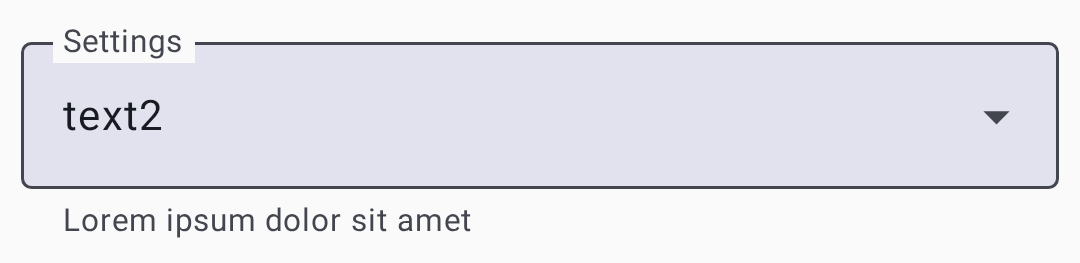 |
| Toggle |  |
| Slider | 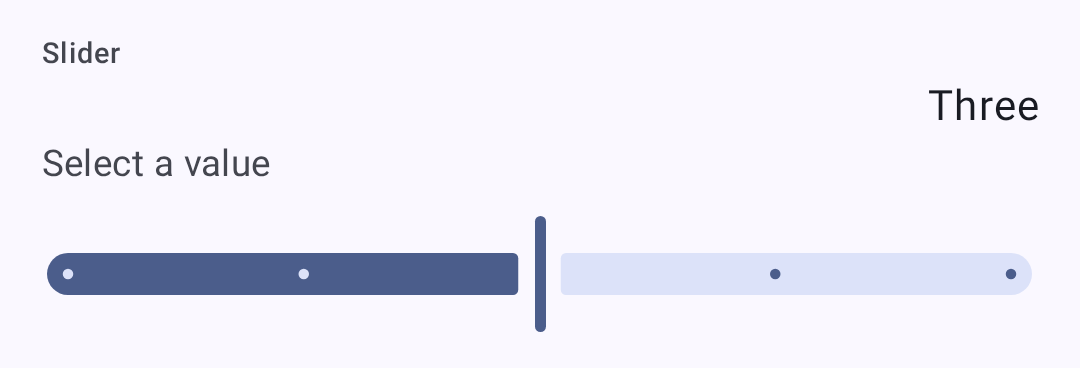 |
Related Topics
- Settings — Modules & Admin — optional feature modules and device administration
- Signal Meter — how modem presets affect signal quality thresholds
- LoRa configuration — detailed LoRa settings reference on meshtastic.org
- Initial configuration — region setup guide on meshtastic.org