Seaded — raadio ja kasutaja
Configure your radio hardware and user identity parameters.
Kasutaja seaded
User Profile
| Setting | Kirjeldus |
|---|---|
| Täis nimi | Your display name (up to 39 characters) |
| Lühi nimi | 4-character abbreviated name |
| Licensed Operator | Enable if you hold an amateur radio license (enables higher power) |
Applying Changes
Pärast sätete muutmist puuduta nuppu Salvesta, et konfiguratsioon raadiosse salvestada. Muudatuste rakendamiseks võib seade taaskäivituda.
Sätted
Seadme sätted
| Setting | Kirjeldus | Vaikimisi |
|---|---|---|
| Roll | Node behavior (Client, Router, etc.) | Klient |
| Kordusülekannete režiim | How the node retransmits messages | Kõik |
| Sõlme(de) teabe levitamine | Sõlme teabe levitamise intervall | 10800 |
| Topeltpuudutusnupp | Toiming topeltpuudutuse nupu korral | Keelatud |
LoRa sätted
| Setting | Kirjeldus | Vaikimisi |
|---|---|---|
| Regioon | Sagedusribade reguleerimispiirkond | Määramata (tuleb seadistada) |
| Modemi vaikesäte | Speed/range tradeoff | LongFast |
| Hüppete limiit | Maks uuesti saadetud hüpet | 3 |
| TX võimsus | Transmission power (dBm); 0 = max allowed for region | 0 (region max) |
| Sagedusnihe | Sageduse peenhäälestamine (MHz) | 0 |
| Kanali ribalaius | Bandwidth setting | Default for preset |
⚠️ Tähtis: Enne edastamist peate oma piirkonna määrama. Operating without the correct region may violate local radio regulations. Lisateabe saamiseks vaadake regiooni seadistamise juhendit aadressil meshtastic.org.
Modem Presets
💡 Vihje: SNR-i piirväärtused on meelega negatiivsed. LoRa can decode signals below the noise floor, so a more-negative limit means the preset tolerates a weaker, noisier signal (more range). See How the Signal Meter Works for the full explanation.
| Preset | Range | Kiirus | SNR Limit | Best For |
|---|---|---|---|---|
| Short Turbo | ~1 km | 21,9 kbps | −7,5 dB | Dense urban with line-of-sight; data-heavy applications |
| Short Fast | ~3 km | 10,9 kbps | −7,5 dB | Linnaosad; hooned mõne kvartali raadiuses |
| Short Slow | ~5 km | 5.5 kbps | −10 dB | Äärelinna lühimaa; mõõdukas hoonestustihedus |
| Medium Fast | ~5 km | 5.5 kbps | −12,5 dB | Suburban areas; moderate building density |
| Medium Slow | ~8 km | 1,1 kbps | −15 dB | Suburban/rural; moderate range with slower speed |
| Long Turbo | ~10 km | 4,4 kbps | −12,5 dB | Sarnane ulatus kui Pikk Kauge, aga 500 kHz ribalaiusega; kiirem läbilaskevõime |
| Long Fast | ~10 km | 1,1 kbps | −17,5 dB | General use (default) — balanced range and speed |
| Long Moderate | ~20 km | 0,34 kbps | −17,5 dB | Maapiirkond, mõningase maastikuga; aeg-ajalt kasutatav |
| Lite Fast | ~5 km | 5,5 kbps | −12,5 dB | EL 866 MHz SRD sagedusala (125 kHz ribalaius); võrreldav Medium Fast |
| Lite Slow | ~10 km | 1,1 kbps | −15 dB | EL 866 MHz SRD sagedusala (125 kHz ribalaius); võrreldav Long Fast |
| Narrow Fast | ~5 km | 2,7 kbps | −10 dB | EL 868 MHz sagedusala (62,5 kHz sagedusriba); väldib häireid teiste seadmetega |
| Narrow Slow | ~10 km | 1,1 kbps | −12,5 dB | EL 868 MHz sagedusala (62,5 kHz ribalaius); võrreldav Long Fast |
| ~30 km | 0,18 kbps | −20 dB | ⚠️ Vananenud — endiselt valitav, kuid võidakse tulevases püsivara versioonis eemaldada | |
| ~40+ km | 0,09 kbps | −20 dB | ⚠️ Vananenud — endiselt valitav, kuid võidakse tulevases püsivara versioonis eemaldada |
ℹ️ Märkus: Selles tabelis kasutatakse üldlevinud lühinimesid. Rakenduse eelseadistatud rippmenüüs on need järgmised: Short Range - Fast, Long Range - Fast, Lite - Fast, Narrow - Fast, jne.
Choosing a Modem Preset
The modem preset controls the fundamental tradeoff between range and data rate:
- Slower presets use more spreading, making signals decodable at weaker signal levels (lower SNR limit). See tähendab pikemat ulatust, aga vähem baite sekundis.
- Faster presets pack more data per transmission but require a stronger signal to decode.
Practical guidance:
- Linnavõrk (palju sõlmi, lühikesed vahemaad): Kasutage valikut Long Fast (vaikimisi) või Short Fast. Suurem kiirus tähendab väiksemat eetriaega, kui kanalit jagavad paljud sõlmed.
- Rural/sparse mesh (few nodes, long distances): Use Long Moderate. Range matters more than speed when nodes are far apart.
- EU 866/868 MHz regulatory compliance: Use Lite Fast, Lite Slow, Narrow Fast, or Narrow Slow — these are optimized for the EU SRD/868 MHz bands with narrower bandwidths.
- Fikseeritud taristuühendused: Kasutage Short Turbo või Long Turbo spetsiaalsete punkt-punkti ühenduste jaoks, millel on head antennid ja otsenähtavus.
- Mixed environments: Stick with Long Fast — it’s the community default and ensures compatibility with others in your area.
⚠️ Tähtis: Kõik samal kanalil olevad sõlmed peavad kasutama sama modemi eelseadistust. Erinevate eelseadetega sõlmed ei saa suhelda isegi siis, kui neil on sama sagedus ja krüpteerimisvõti.
💡 Vihje: ulatuse hinnangud eeldavad tasast maastikku ja mõõdukaid antenne. Elevation advantage (hilltop, rooftop) dramatically increases effective range. A well-placed Router with Long Fast can often outperform a ground-level node with Long Slow.
Ekraani sätted
| Setting | Kirjeldus |
|---|---|
| Screen Timeout | Time before display sleeps |
| Display Units | Meetriline või Imperial |
| OLED Type | Auto, SSD1306, SH1106, SH1107 |
| Compass Orientation | Rotation offset for compass display (0°, 90°, 180°, 270°) |
| ⚠️ Vananenud — asendatud kompassi suunaga; nähtav endiselt vanemas püsivaras |
Asukoha sätted
| Setting | Kirjeldus |
|---|---|
| GPS lubatud | GPS lubamine/keelamine |
| GPS värskendamise intervall | Kui tihti GPS asukohta leida |
| Asukoha(de) levitamine | How often to share position |
| Nutikas asukoht | Liikumispõhise levitamise lubamine |
| Määratud asukoht | Use a manually set position |
Toite sätted
| Setting | Kirjeldus |
|---|---|
| Power Saving | Enable low-power sleep mode |
| Shutdown After (s) | Auto-shutdown idle timer |
| ADC Multiplier | Aku pinge kalibreerimistegur |
| Oota sinihammast(id) | Time to wait for BLE connection at boot |
| Mesh SDS Timeout (s) | Ülisügava une ajalõpp |
Võrgu sätted
| Setting | Kirjeldus |
|---|---|
| WiFi lubatud | Luba WiFi (ESP32 seade) |
| WiFi SSID | Network name to connect to |
| WiFi PSK | Network password |
| NTP server | Time synchronization server |
| Syslog Server | Kauglogimise server |

Sinihamba sätted
| Setting | Kirjeldus |
|---|---|
| Sinihammas lubatud | Enable/disable BLE radio |
| Sidumisreziim | Määratud PIN kood, juhuslik PIN kood või PIN koodi pole |
| Fikseeritud PIN | Sidumise PIN (vaikimisi: 123456) |
Turva sätted
| Setting | Kirjeldus |
|---|---|
| Avalik võti | Sinu sõlme avalik võti (kirjutuskaitstud) |
| Administraatori võti | Kaughalduse võti |
| Salajane võti | Sinu sõlme privaatvõti (käsitsege turvaliselt) |
| ⚠️ Eemaldatud — nüüd seadistatakse automaatselt, kui administraatori võti on määratud | |
| Arendaja logi | Edasta reaalajas arendajalogi jadapordi/sinihamba kaudu |
| Jadaühendus lubatud | Luba jadapordi konsoolile juurdepääs (teisaldatud seadme konfist) |
| Hallatud režiim | Piira mitte-administraatori kanali muudatusi |
| Taastevõtmed | Salvesta sõlme võtmete krüpteeritud varukoopia sellesse seadmesse (ainult Android) |
| Taasta võtmed | Kirjuta varundatud võtmed tagasi sõlme (saadaval siis, kui varukoopia on olemas) |
| Kustuta taastevõtmed | Eemalda salvestatud võtme varukoopia sellest seadmest |
| Protection Level | Pakettide autentsus – kuidas käsitletakse allkirjastamata või vahendatud pakette: range, tasakaalustatud või ühilduv (nõuab toetavat püsivara; range režiimi puhul küsitakse kinnitust) |

Seaded kasutavad standardseid eelistuste juhtelemente – rippmenüüsid, lülitid ja liugurid:
| Control | Screenshot |
|---|---|
| Dropdown | 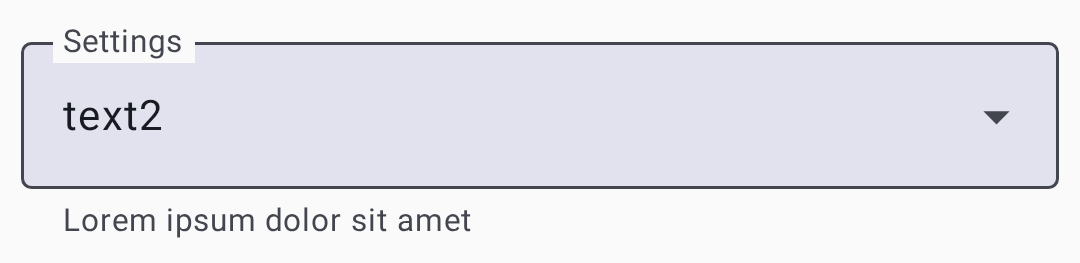 |
| Toggle |  |
| Slider | 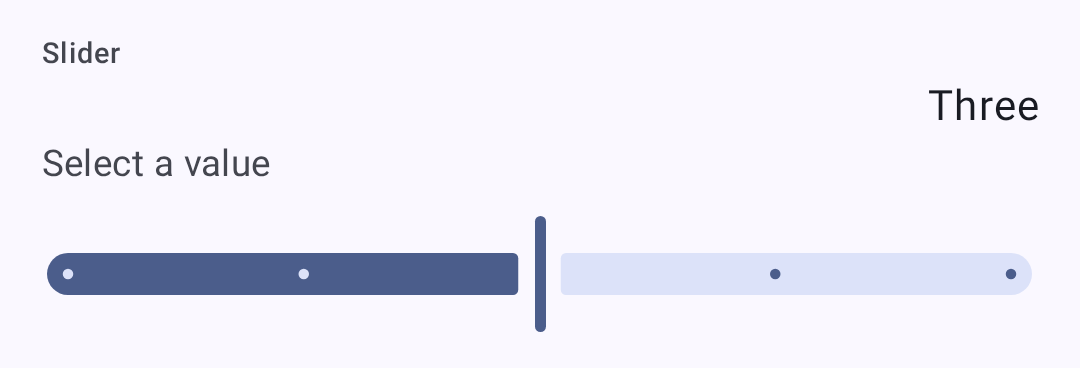 |
Related Topics
- Seaded — moodulid ja admin — valikulised funktsioonimoodulid ja seadme haldamine
- Signal Meter — how modem presets affect signal quality thresholds
- LoRa konfiguratsioon — üksikasjalik LoRa sätete juhend aadressil meshtastic.org
- Esialgne konfiguratsioon — piirkonna seadistamise juhend meshtastic.org lehel