Телеметрия и датчики
Ноды Meshtastic могут собирать и передавать данные датчиков по всей mesh-сети. Telemetry allows nodes equipped with sensors to broadcast environmental, power, and device health information, visible on the node detail screen and logged over time.
Телеметрия устройства
Все ноды Meshtastic передают базовую телеметрию устройства:
| Метрика | Описание | Типичный диапазон |
|---|---|---|
| Уровень заряда | Процент заряда | 0–100% |
| Напряжение | Напряжение батареи | 3.0–4.2V (LiPo) |
| ChUtil | % of local airtime in use | 0–100% |
| AirUtil | % of the last hour this node spent transmitting | 0–100% |
| Аптайм | Секунд с последней загрузки | Варьируется |
Датчики окружающей среды
Поддерживаемые датчики окружающей среды:
Температура и влажность
| Sensor | Температура | Влажность | Давление | Заметки |
|---|---|---|---|---|
| BME280 | ✓ | ✓ | ✓ | Рекомендуемый “всё в одном” |
| BME680 | ✓ | ✓ | ✓ | Добавляет сопротивление газа/IAQ |
| SHT31 | ✓ | ✓ | — | Высокая точность |
| MCP9808 | ✓ | — | — | Прецизионная температура |
| LPS22 | — | — | ✓ | Только давление |
Качество воздуха
| Sensor | Метрика | Заметки |
|---|---|---|
| BME680 | Сопротивление газа / IAQ | Летучие органические соединения |
| PMSA003I | PM1.0, PM2.5, PM10 | See Air Quality Metrics |
| SEN55 | PM, Temp, Humidity | Multi-sensor. Its NOx and VOC indices are recorded and included in a CSV export, but are not shown as cards or charts |
| SEN6x | PM, CO₂, Temp, Humidity | Its status register is always exported; when it reports a fault (fan, RH&T, gas, CO₂, HCHO or PM), the fault names appear as a Sensor Status card and on each Air Quality log entry |
Soil
| Метрика | Единица | Заметки |
|---|---|---|
| Темп почвы | °C / °F | Reported alongside soil moisture by soil probes |
| Влажн почвы | % | Volumetric water content |
Both appear as info cards on the node detail screen, next to the other environment readings.
Soil probe and water-quality sonde chemistry (pH, conductivity, salinity, NPK, dissolved oxygen, ORP, turbidity, nitrate, ammonium, oxygen demand, solar irradiance) appears as a Soil & Water row of info cards on the node detail screen once a node reports any of it, and is included in the node database export. There is no chart or log screen for it yet.
Освещённость и УФ
| Sensor | Метрика |
|---|---|
| OPT3001 | Окружающая освещённость (люкс) |
| VEML7700 | Окружающая освещённость (люкс) |
| LTR390 | УФ-индекс |
Weather and Other Readings
| Метрическая | Единица | Where it appears |
|---|---|---|
| Wind speed | km/h or mph | Card and chart. Sensors report meters per second; the app converts to match your unit setting, and the chart uses the same unit as the card |
| Wind direction, gust, and lull | degrees, km/h or mph | Listed with each reading on the Environment Metrics screen; not charted |
| Rainfall, last hour and last 24 hours | mm or in | Listed with each reading on the Environment Metrics screen; not charted |
| Lightning, strikes in the last hour and storm distance | count, km or mi | Card and listed with each reading on the Environment Metrics screen; not charted. From an AS3935 detector. Storm distance is always in km or mi, since the detector resolves whole kilometres |
| Радиация | µR/h | Card and chart |
| Вес | kg or lb | Card only — load cells, such as a beehive scale |
| Расстояние | mm or in | Card only — water level, from a distance sensor |
| Dew point | °C or °F | Card only — computed from temperature and humidity |
| 1-Wire temperature | °C or °F | Card and chart, up to eight DS18B20-style probes |
| ADC voltage | V | Card and chart, up to eight raw analog channels |
Метрики питания
Ноды с датчиками питания серии INA могут сообщать:
| Метрическая | Описание |
|---|---|
| Напряжение | Per-channel voltage reading |
| Ток | Per-channel current draw, in mA |
The node detail screen shows read-only cards for channels 1 to 3. Use the chart button on the Power Metrics row to open the chart screen, which lists a chip for every channel that reported data — up to eight — and charts the one you select. Rename a channel there, in the label field under the chips, to something like Solar or Battery. There is no separate wattage reading; the app charts voltage and current, and does not compute power from them.
Полезно для мониторинга солнечной зарядки или состояния батареи на удалённых нодах.
Настройка телеметрии
- Navigate to Settings → Module configuration → Telemetry.
-
Each metric group has its own enable toggle and its own interval:
- Device Metrics — battery, voltage, uptime, ChUtil, and AirUtil. Its enable toggle, Send Device Telemetry, appears only on firmware 2.7.12 and later; on older firmware you can change the interval but not turn the group off
- Environment Metrics — temperature, humidity, pressure and the other sensor readings
- Air Quality Metrics — particulate and CO₂ readings
- Power Metrics — the per-channel voltage and current readings
Environment and Power each have an extra toggle to show their readings on the radio’s own screen, and Environment has one more to show its temperatures there in Fahrenheit.
Choosing an Interval
These are nominal values, not hard schedules. On a congested mesh the firmware automatically backs off to longer intervals based on how many nodes are online, so you do not need to hand-tune them for mesh size. Lengthen them deliberately only to save battery.
Метрики качества воздуха
Ноды с датчиками взвешенных частиц или CO₂ передают данные о качестве воздуха:
| Метрическая | Единица | Описание |
|---|---|---|
| PM1.0 | мкг/м³ | Ультрамелкие взвешенные частицы |
| PM2.5 | мкг/м³ | Мелкие взвешенные частицы |
| PM10 | мкг/м³ | Крупные взвешенные частицы |
| CO₂ | ppm | Концентрация углекислого газа |
Датчики CO₂, такие как SCD4x, также сообщают собственную температуру и влажность, которые отображаются вместе с указанными выше показаниями. На основе истории PM2.5 приложение дополнительно вычисляет значение AQI EPA по методу NowCast.
Показания CO₂ окрашены по уровню опасности (Хорошо → Душно → Плохо → Опасно → Эвакуация). Точные диапазоны ppm, цвета и подробности AQI см. в разделе Метрики нод — Качество воздуха.
Данные о качестве воздуха можно просматривать в виде информационных карточек на экране сведений о ноде, строить графики за период и экспортировать в CSV.
Просмотр телеметрии
- Перейдите в Ноды и выберите ноду.
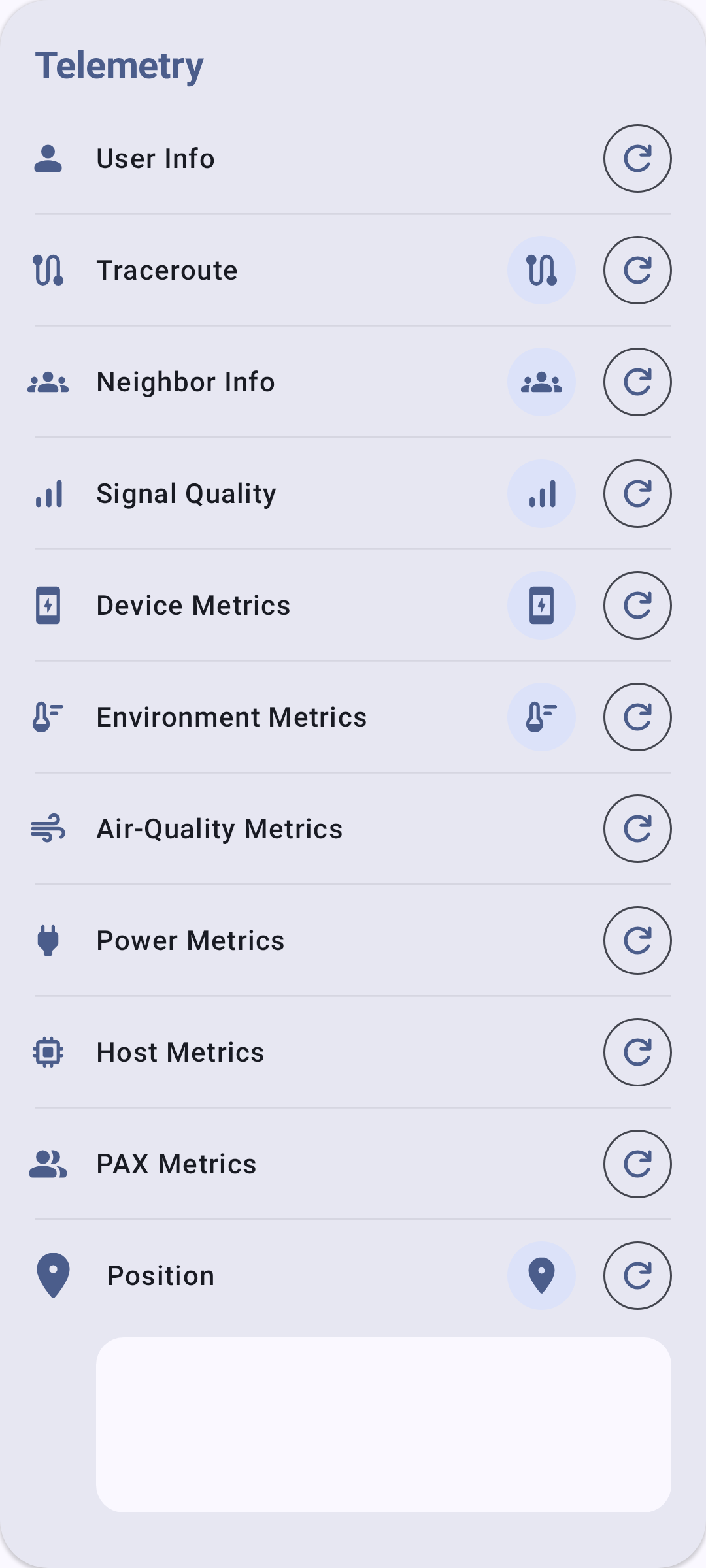
- The Telemetry section lists a row for every metric type — Device, Environment, Air Quality, Power, and the rest — whether or not this node has reported it. A row fills in with readings, and grows a chart button, once that node has actually sent that kind of telemetry. An empty row means nothing has arrived yet, not that the sensor is missing.
- Use the chart button on a row to open that metric’s history, where you can pick a time frame and export the readings as CSV.
Устранение неполадок
- Нет данных об окружающей среде? К удалённой ноде должен быть физически подключён датчик (например, BME280 по I2C). Телеметрия устройства (заряд батареи, время работы) доступна всегда, но для метрик окружающей среды требуется оборудование.
- Показания устарели? Проверьте интервал передачи — очень большие интервалы (7200 с и более) означают, что данные обновляются редко. Также убедитесь, что удалённая нода всё ещё в сети.
- Конфликт датчиков на шине I2C? Некоторые датчики используют одинаковые адреса I2C. Если на одной шине несколько твоих датчиков, проверь последовательный отладочный вывод радио на предмет конфликтов адресов.
Связанные темы
- Метрики нод — просмотр данных телеметрии на экране сведений о ноде
- Настройки — Модули и администрирование — конфигурация модуля телеметрии
- Единицы измерения и регион — единицы отображения температуры и давления