テレメトリとセンサー
Meshtastic のノードは、メッシュネットワーク全体でセンサーデータを収集・共有できます。 Telemetry allows nodes equipped with sensors to broadcast environmental, power, and device health information, visible on the node detail screen and logged over time.
デバイステレメトリ
すべての Meshtastic ノードは、基本的なデバイステレメトリを報告します:
| メトリクス | 説明 | 標準的な範囲 |
|---|---|---|
| バッテリー残量 | 充電の割合 | 0–100% |
| 電圧 | バッテリー電圧 | 3.0–4.2V (LiPo) |
| ChUtil | % of local airtime in use | 0–100% |
| AirUtil | % of the last hour this node spent transmitting | 0–100% |
| 連続稼働時間 | 前回の起動からの経過秒数 | 可変 |
環境センサー
対応する環境センサー:
温度と湿度
| センサー | 温度 | 湿度 | 気圧 | 備考 |
|---|---|---|---|---|
| BME280 | ✓ | ✓ | ✓ | おすすめのオールインワン |
| BME680 | ✓ | ✓ | ✓ | ガス抵抗/IAQ を追加 |
| SHT31 | ✓ | ✓ | — | 高精度 |
| MCP9808 | ✓ | — | — | 高精度な温度 |
| LPS22 | — | — | ✓ | 気圧のみ |
大気質
| センサー | メトリクス | 備考 |
|---|---|---|
| BME680 | ガス抵抗/IAQ | 揮発性有機化合物 |
| PMSA003I | PM1.0, PM2.5, PM10 | See Air Quality Metrics |
| SEN55 | PM, Temp, Humidity | Multi-sensor. Its NOx and VOC indices are recorded and included in a CSV export, but are not shown as cards or charts |
| SEN6x | PM, CO₂, Temp, Humidity | Its status register is always exported; when it reports a fault (fan, RH&T, gas, CO₂, HCHO or PM), the fault names appear as a Sensor Status card and on each Air Quality log entry |
Soil
| メートル法 | 単位 | 備考 |
|---|---|---|
| 土壌温度 | °C / °F | Reported alongside soil moisture by soil probes |
| 土壌水分 | % | Volumetric water content |
Both appear as info cards on the node detail screen, next to the other environment readings.
Soil probe and water-quality sonde chemistry (pH, conductivity, salinity, NPK, dissolved oxygen, ORP, turbidity, nitrate, ammonium, oxygen demand, solar irradiance) appears as a Soil & Water row of info cards on the node detail screen once a node reports any of it, and is included in the node database export. There is no chart or log screen for it yet.
光と UV
| センサー | メトリクス |
|---|---|
| OPT3001 | 周囲の明るさ(ルクス) |
| VEML7700 | 周囲の明るさ(ルクス) |
| LTR390 | UV 指数 |
Weather and Other Readings
| メトリクス | 単位 | Where it appears |
|---|---|---|
| Wind speed | km/h or mph | Card and chart. Sensors report meters per second; the app converts to match your unit setting, and the chart uses the same unit as the card |
| Wind direction, gust, and lull | degrees, km/h or mph | Listed with each reading on the Environment Metrics screen; not charted |
| Rainfall, last hour and last 24 hours | mm or in | Listed with each reading on the Environment Metrics screen; not charted |
| Lightning, strikes in the last hour and storm distance | count, km or mi | Card and listed with each reading on the Environment Metrics screen; not charted. From an AS3935 detector. Storm distance is always in km or mi, since the detector resolves whole kilometres |
| 放射線 | µR/h | Card and chart |
| 重さ | kg or lb | Card only — load cells, such as a beehive scale |
| 距離 | mm or in | Card only — water level, from a distance sensor |
| Dew point | °C or °F | Card only — computed from temperature and humidity |
| 1-Wire temperature | °C or °F | Card and chart, up to eight DS18B20-style probes |
| ADC voltage | V | Card and chart, up to eight raw analog channels |
電力メトリクス
INA シリーズの電力センサーを搭載したノードは、次を報告できます:
| メートル法 | 説明 |
|---|---|
| 電圧 | Per-channel voltage reading |
| 電流 | Per-channel current draw, in mA |
The node detail screen shows read-only cards for channels 1 to 3. Use the chart button on the Power Metrics row to open the chart screen, which lists a chip for every channel that reported data — up to eight — and charts the one you select. Rename a channel there, in the label field under the chips, to something like Solar or Battery. There is no separate wattage reading; the app charts voltage and current, and does not compute power from them.
リモートノードの太陽光充電やバッテリーの状態を監視するのに便利です。
テレメトリを設定する
- Navigate to Settings → Module configuration → Telemetry.
-
Each metric group has its own enable toggle and its own interval:
- Device Metrics — battery, voltage, uptime, ChUtil, and AirUtil. Its enable toggle, Send Device Telemetry, appears only on firmware 2.7.12 and later; on older firmware you can change the interval but not turn the group off
- Environment Metrics — temperature, humidity, pressure and the other sensor readings
- Air Quality Metrics — particulate and CO₂ readings
- Power Metrics — the per-channel voltage and current readings
Environment and Power each have an extra toggle to show their readings on the radio’s own screen, and Environment has one more to show its temperatures there in Fahrenheit.
Choosing an Interval
These are nominal values, not hard schedules. On a congested mesh the firmware automatically backs off to longer intervals based on how many nodes are online, so you do not need to hand-tune them for mesh size. Lengthen them deliberately only to save battery.
大気質メトリクス
粒子状物質センサーまたは CO₂ センサーを搭載したノードは、大気質データを報告します:
| メートル法 | 単位 | 説明 |
|---|---|---|
| PM1.0 | µg/m³ | 超微小粒子状物質 |
| PM2.5 | µg/m³ | 微小粒子状物質 |
| PM10 | µg/m³ | 粗大粒子状物質 |
| CO₂ | ppm | 二酸化炭素の濃度 |
SCD4x などの CO₂ センサーは、自身の温度と湿度も報告し、上記の測定値とともに表示されます。アプリは、PM2.5 の履歴から EPA NowCast AQI の値も算出します。
CO₂ の測定値は、深刻度に応じて色分けされます(良好 → 空気がこもる → 悪い → 危険 → 退避)。正確な ppm の区分、色、AQI の詳細については、ノードメトリクス:大気質 を参照してください。
大気質データは、ノードの詳細画面で情報カードとして表示したり、時系列でグラフ化したり、CSV にエクスポートしたりできます。
テレメトリを表示する
- 「ノード」に移動して、ノードを選択します。
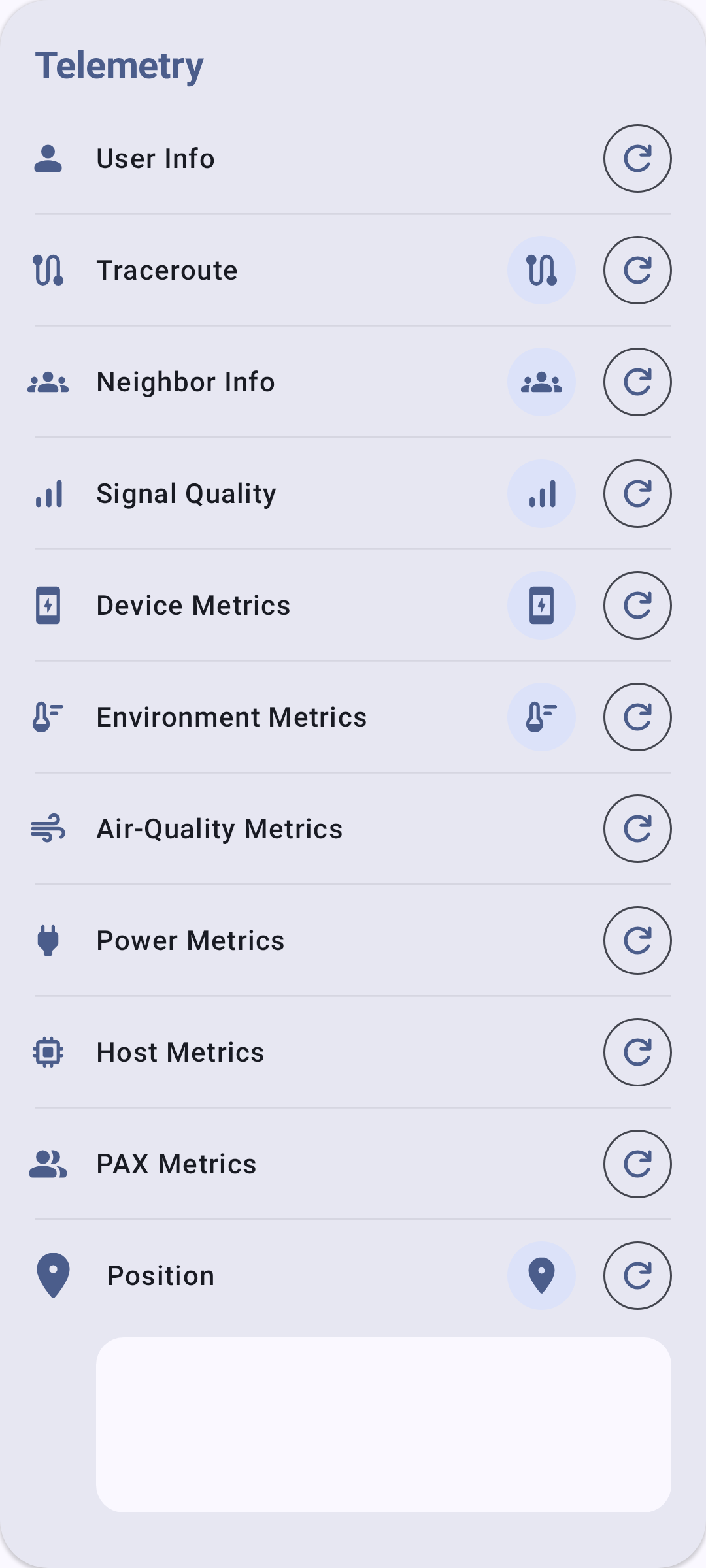
- The Telemetry section lists a row for every metric type — Device, Environment, Air Quality, Power, and the rest — whether or not this node has reported it. A row fills in with readings, and grows a chart button, once that node has actually sent that kind of telemetry. An empty row means nothing has arrived yet, not that the sensor is missing.
- Use the chart button on a row to open that metric’s history, where you can pick a time frame and export the readings as CSV.
トラブルシューティング
- 環境データが表示されない? リモートノードに物理センサーが接続されている必要があります(例:I2C の BME280)。デバイステレメトリ(バッテリー、連続稼働時間)は常に利用できますが、環境メトリクスにはハードウェアが必要です。
- 測定値が古い? 報告間隔を確認してください。非常に長い間隔(7200 秒以上)では、データの更新頻度が低くなります。リモートノードがまだオンラインであるかも確認してください。
- I2C バスでセンサーが競合している? 一部のセンサーは I2C アドレスを共有しています。同じバスに複数のセンサーがある場合は、無線機のシリアルデバッグ出力でアドレスの衝突がないか確認してください。
関連トピック
- ノードメトリクス:ノードの詳細画面でテレメトリデータを表示
- 設定:モジュールと管理:テレメトリモジュールの設定
- 単位とロケール:温度と気圧の表示単位