Units, Measurement & Locale
Die Meshtastic-App zeigt Temperaturen, Entfernungen, Geschwindigkeiten und Zeiten automatisch in den Einheiten an, auf die Ihr Gerät konfiguriert ist – es sind keine Einstellungen innerhalb der App zu ändern.
So funktioniert’s
Meshtastic radios always transmit data in metric units (meters, °C, m/s, hPa, etc.). When the app receives this data, it converts and displays values in whatever unit system your device’s locale specifies.
On Android, your measurement preferences are determined by your system Language & Region settings. On Desktop (JVM), the app uses the JVM’s default Locale.
💡 Tip: You never need to toggle units inside the app. Change your system measurement preferences and every screen in Meshtastic updates automatically — node details, telemetry charts, weather, altitude, and more.
Temperatur
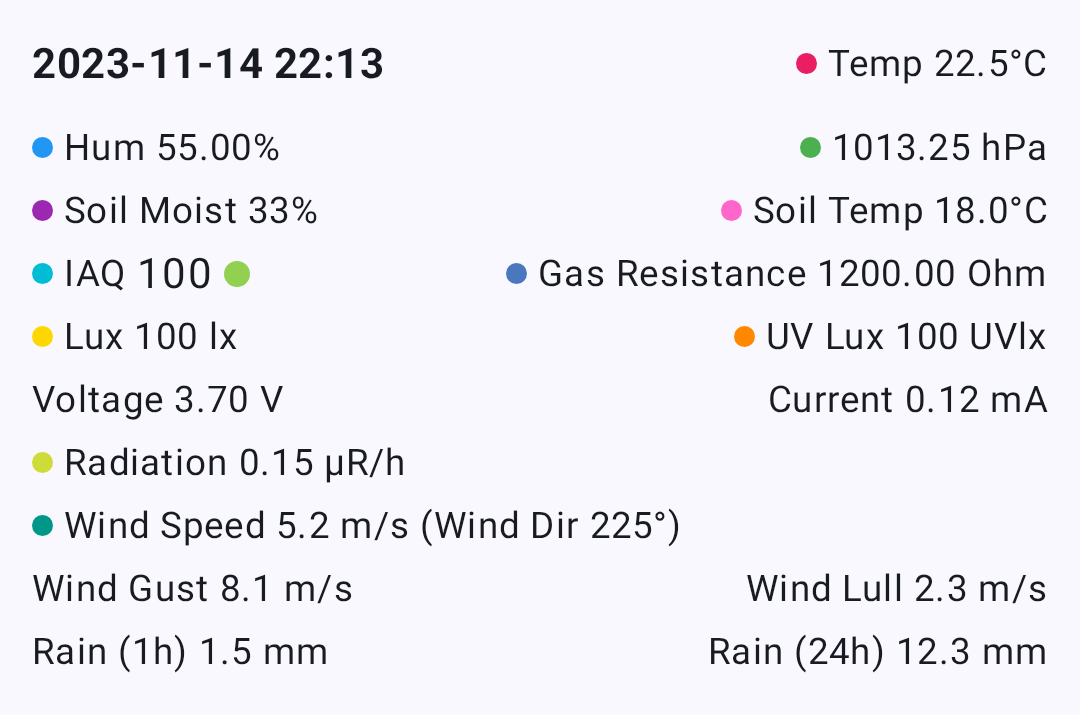
Temperature values from environment sensors are transmitted as °C and displayed based on your device’s temperature unit preference.
| Your Setting | You See |
|---|---|
| Celsius | 22°C |
| Fahrenheit | 72°F |
This affects all temperature displays throughout the app: node environment telemetry, soil temperature, dew point, and telemetry chart axes.
Distance & Altitude
Distances between nodes and GPS altitudes are transmitted as meters and automatically scaled and converted.

| Your Setting | Small Distance | Large Distance | Höhe |
|---|---|---|---|
| Metrisch | 350 m | 2.5 km | 1,200 m |
| Imperial (US) | 1,148 ft | 1.6 mi | 3,937 ft |
The app uses natural scaling — short distances stay in meters or feet, while longer distances switch to kilometres or miles automatically.
Where these appear
- Node list — distance and bearing to each node
- Node detail — altitude, distance from your position
- Map — waypoint distances, traceroute hop distances
- Compass — distance to selected node
Geschwindigkeit
GPS ground speed is displayed in your locale’s preferred speed unit.
| Your Setting | You See |
|---|---|
| Metrisch | 12 km/h |
| Imperial (US) | 7 mph |
Wind
Wind speed and gust data from environment sensors are transmitted as m/s and converted for display.
| Your Setting | You See |
|---|---|
| Metrisch | 5 m/s |
| Imperial (US) | 11 mph |
Wind readings appear in the Node Detail environment section and the Environment Telemetry charts.
Rainfall
Rainfall measurements (1-hour and 24-hour totals) are transmitted as mm and converted for display.
| Your Setting | You See |
|---|---|
| Metrisch | 12 mm |
| Imperial (US) | 0.5 in |
Units That Never Change
Some units are international standards and are displayed the same way regardless of your locale:
| Measurement | Einheit | Warum |
|---|---|---|
| Luftdruck | hPa | International meteorological standard |
| Heading / bearing | ° (degrees) | Universal navigation convention |
| Strahlung | μR/hr | Standard dosimetry unit |
| GPS coordinates | decimal degrees | Universal geographic standard |
| Humidity, battery, soil moisture | % | Universal |
Date & Time
All timestamps throughout the app — last heard, message times, telemetry logs, chart axes — follow your device’s date and time preferences.
| Einstellung | What It Controls | Beispiel |
|---|---|---|
| 24-Hour Time | Clock format | 14:30 vs 2:30 PM |
| Date Format | Date ordering | 09/05/2026 vs 05/09/2026 |
Die App verwendet zudem relative Zeitangaben, wo dies sinnvoll ist – zum Beispiel „vor 5 Min.“ oder „vor 2 Stunden“ in der Knotenliste –, die automatisch in die Sprache Ihres Geräts lokalisiert werden.
Changing Your Measurement System (Android)
On Android, your measurement system (metric vs imperial) is tied to your region setting:
- Open Android Settings → System → Language & Region
- Change your Region or Measurement units preference
- Return to Meshtastic — values update immediately
💡 Tip: All measurement formatting is handled centrally and respects your platform’s locale, so units stay consistent everywhere in the app.
Related Topics
- Node Metrics — where temperature, distance, and sensor values are displayed
- Telemetry & Sensors — the sensors that produce these measurements
- Measurement & Formatting — developer reference for the formatting utilities
- Settings — Radio & User — region setting that drives unit selection