App Functions
App Functions expose Meshtastic capabilities to the Android system and to on-device AI assistants (such as Gemini) through the Android App Functions API. Wenn diese aktiviert sind, kann ein Assistent Mesh-Workflows für Sie finden und auslösen – zum Beispiel das Senden einer Nachricht oder das Überprüfen Ihres Mesh-Status –, ohne dass Sie die App öffnen müssen.
⚠️ Note: App Functions are available on Google-flavor Android builds only.
⚠️ Note: This is separate from the in-app Chirpy assistant. App Functions let the system AI assistant act on your mesh; Chirpy is a conversational assistant inside the Meshtastic app itself.
Enabling App Functions
App Functions are controlled from Settings → System AI (the in-app screen is labeled “System AI”). The screen has:
- A master toggle labeled “Allow AI access”, with the subtitle “Let system AI assistants (e.g. Gemini) discover and use mesh functions”. When off, no functions are exposed to the system.
- An individual toggle for each function, so you can expose only the capabilities you want.
Die Funktionen sind in einen Schreib-Bereich (Funktionen, die etwas ändern oder Daten an Ihr Mesh senden) und einen Lese-Bereich (Funktionen, die lediglich Informationen zurückgeben) unterteilt.
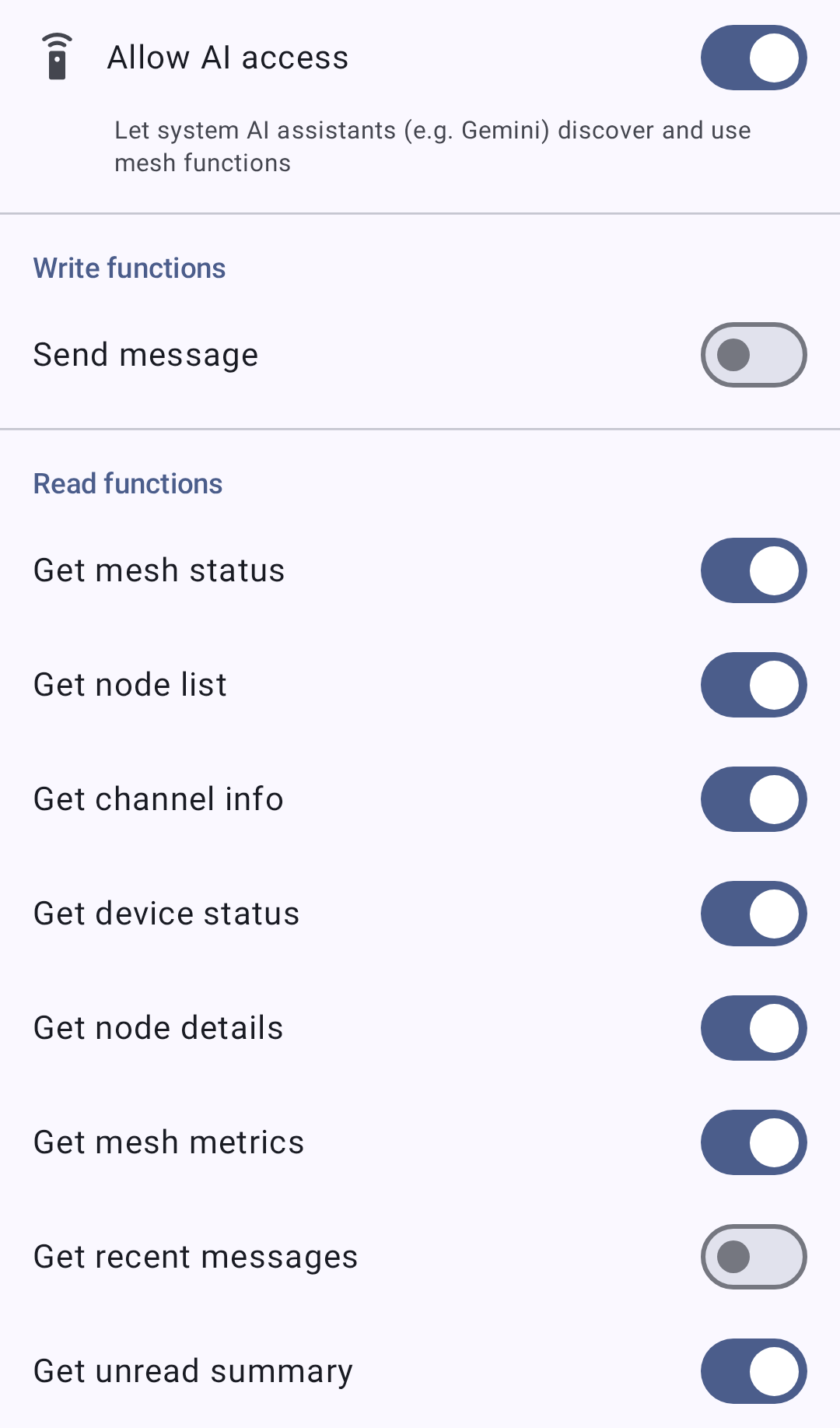
Write Functions
| Funktion | What it does |
|---|---|
| Send Message | Sends a text message to a contact (direct message) or to a channel, up to 237 bytes. |
Read Functions
| Funktion | What it returns |
|---|---|
| Get Mesh Status | Overall mesh status. |
| Get Node List | The list of nodes on your mesh. |
| Get Channel Info | Information about your channels. |
| Get Device Status | Status of your connected radio. |
| Get Node Details | Detailed information about a specific node. |
| Get Recent Messages | Recent messages from your conversations. |
| Get Unread Summary | A summary of unread messages. |
| Get Mesh Metrics | Telemetry and metrics from your mesh. |
Datenschutz
🔒 Privacy: The Send Message function lets an assistant send messages to your mesh on your behalf. Only enable functions you trust the assistant to use. The read functions expose node, message, and metric data to the assistant — enable only what you’re comfortable sharing. Each function has its own toggle, and the master toggle turns all of them off at once.
Related Topics
- Messages & Channels — sending messages directly in the app
- Nodes — the node list the read functions draw from
- Node Metrics — the telemetry behind Get Mesh Metrics